
 Upgrade Storage
Import selected area to a note does not keep its markings (highlight & underline)
Hello,
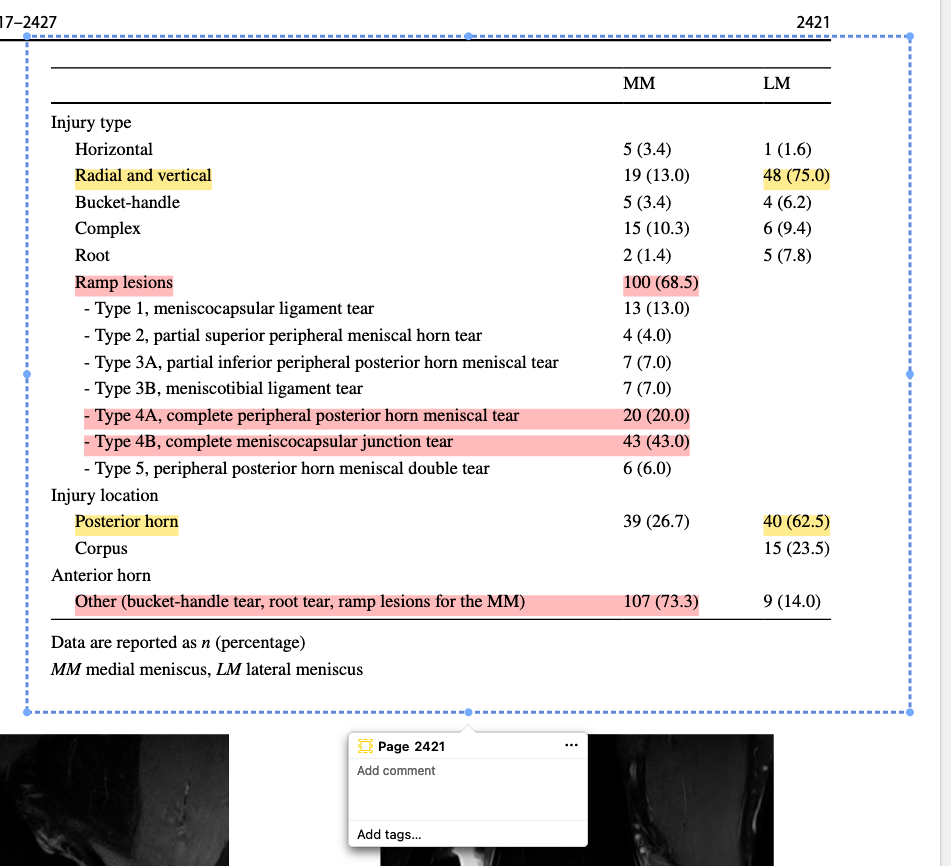
when I highlight parts of a table, for example, these highlights are not included when I export this area to a note. In the pictures below I first highlight the PDF then the second picture shows the imported area in the note.
https://s3.amazonaws.com/zotero.org/images/forums/u18935987/1d48t19pa69redfz5kmu.png
https://s3.amazonaws.com/zotero.org/images/forums/u18935987/xet4k75bbq7h5b91i9ks.png
Copying & pasting or saving the image of the selected area will provide the same result.
Is there another way to do this action ? I would find it very useful, especially while summarizing results of a study in my notes.
This is my first post here, so I hope I did everything right
when I highlight parts of a table, for example, these highlights are not included when I export this area to a note. In the pictures below I first highlight the PDF then the second picture shows the imported area in the note.
https://s3.amazonaws.com/zotero.org/images/forums/u18935987/1d48t19pa69redfz5kmu.png
https://s3.amazonaws.com/zotero.org/images/forums/u18935987/xet4k75bbq7h5b91i9ks.png
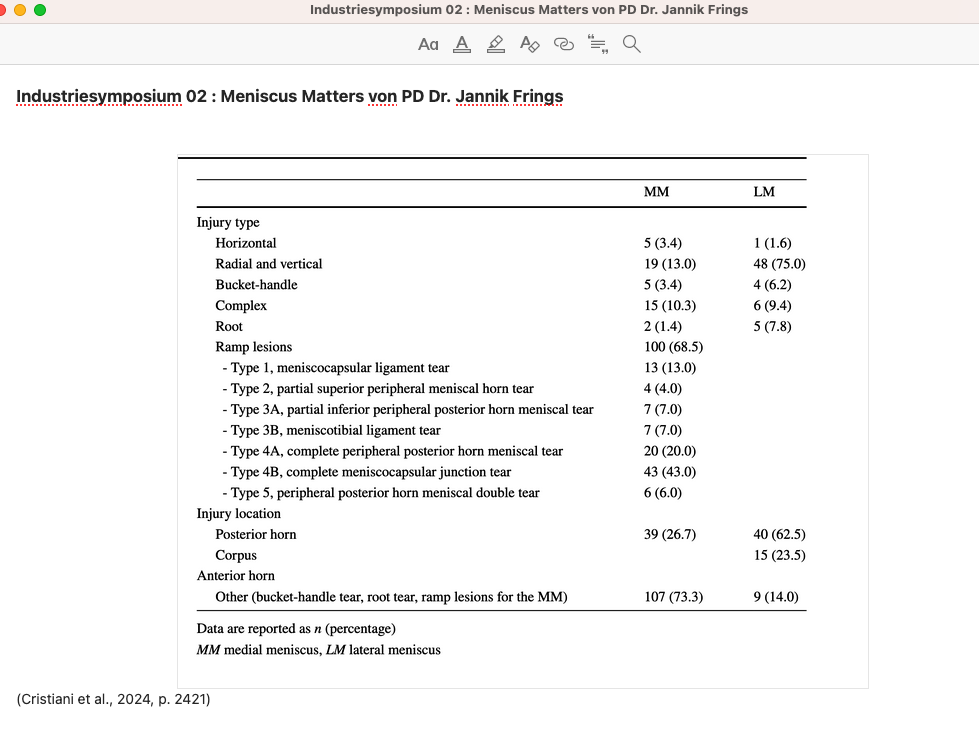
Copying & pasting or saving the image of the selected area will provide the same result.
Is there another way to do this action ? I would find it very useful, especially while summarizing results of a study in my notes.
This is my first post here, so I hope I did everything right
-
martynas_b Zotero TeamThis is by design. However, the closest workaround is to use ink annotations to mark specific lines, and this way you'll get a screenshot with the lines marked. Ink annotations can also be merged, if they end up in different groups.