
 Upgrade Storage
Bluebook “supra” cross-references not working – citation fields intact but formatting broken
Hello,
https://s3.amazonaws.com/zotero.org/images/forums/u7853622/y3rkfu343vntafytte5n.png
https://s3.amazonaws.com/zotero.org/images/forums/u7853622/dnl3y2xfj7kit1f27yoe.png
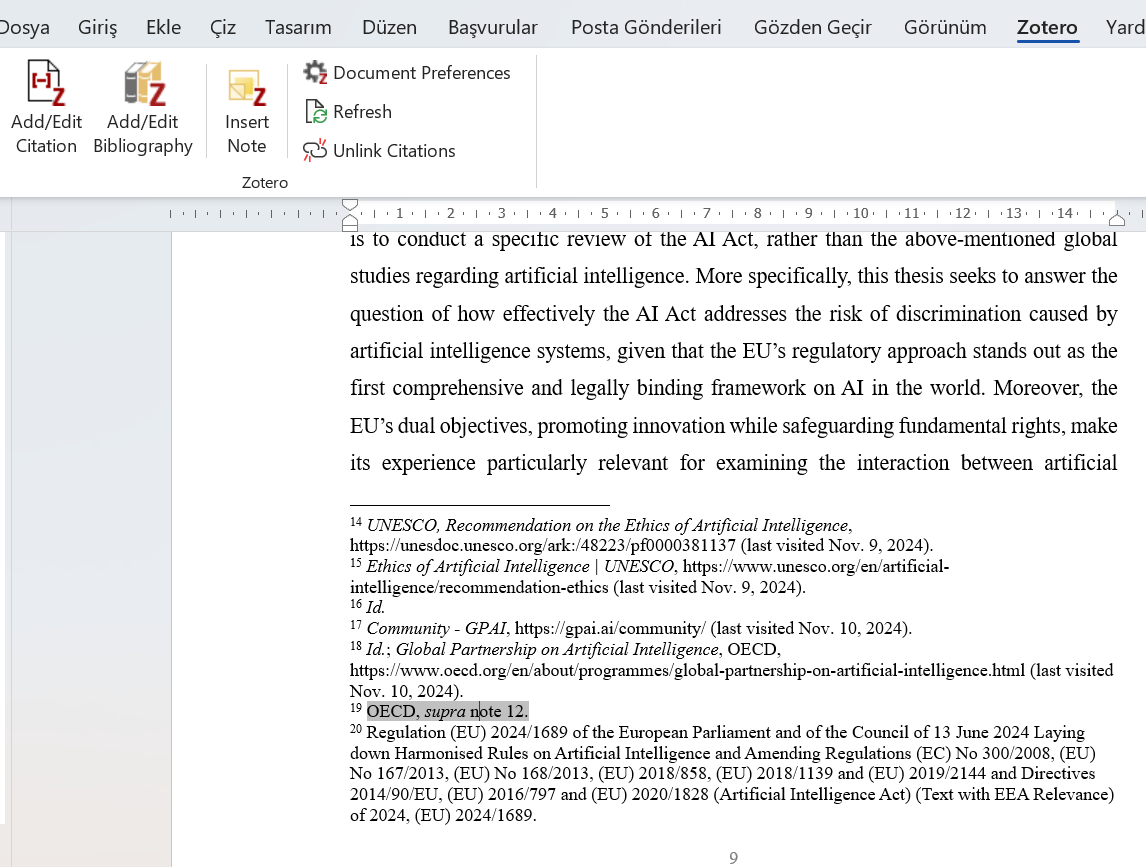
I am working on a long legal thesis (about 400 footnotes) using Zotero with Word. I am using the Bluebook Law Review citation style. Until recently, supra references and repeated citations were working normally.
However, suddenly the supra/ibid cross-reference system stopped functioning properly. The main symptoms are:
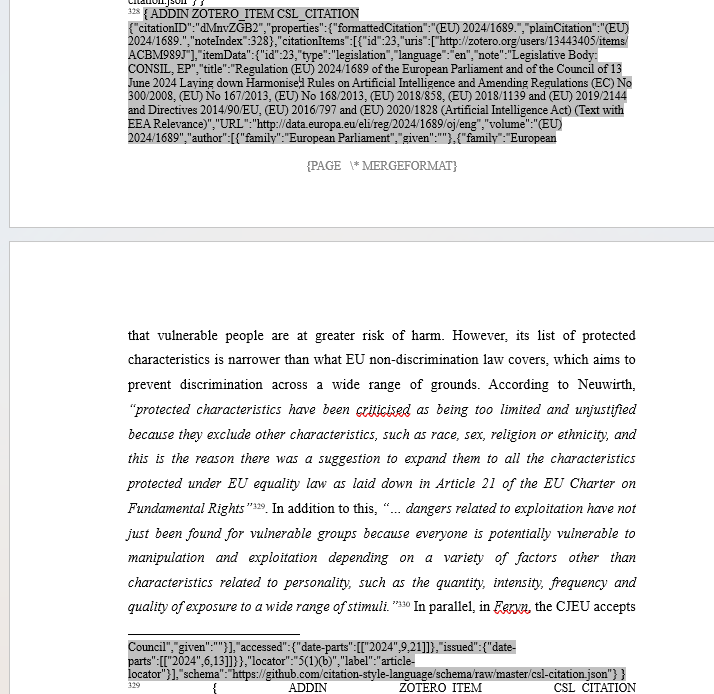
Zotero citation fields are still intact (I can see {ADDIN ZOTERO_ITEM CSL_CITATION ...} when I toggle field codes).
I can still edit citations via Add/Edit Citation, so they are not unlinked.
But Bluebook formatting is broken:
Supra references are not generated
Repeated citations are treated as new, unrelated sources
Page numbers / locators are not appearing even when entered
Many citations appear incomplete or in incorrect format
Refreshing the document does not fix the problem.
Reinstalling the Bluebook style also does not fix it.
The problem affects approximately half of the citations.
What I have already tried:
Removed and reinstalled the Bluebook Law Review CSL style
Restarted Word and Zotero
Used Document Preferences → Refresh
Verified that citations still show the Zotero CSL JSON data
Toggled field codes in Word and confirmed that citations are not plain text
Checked that citations are editable via Zotero → Add/Edit Citation
Verified that I did not use “Unlink Citations”
Despite all this, Bluebook formatting and supra relationships still do not rebuild correctly.
Could you please help me diagnose and repair this issue?
Is this a known problem with Bluebook cross-referencing or with Zotero’s field mapping in long Word documents?
Should I submit a Debug ID or a sample document?
Thank you very much.
https://s3.amazonaws.com/zotero.org/images/forums/u7853622/y3rkfu343vntafytte5n.png
https://s3.amazonaws.com/zotero.org/images/forums/u7853622/dnl3y2xfj7kit1f27yoe.png
I am working on a long legal thesis (about 400 footnotes) using Zotero with Word. I am using the Bluebook Law Review citation style. Until recently, supra references and repeated citations were working normally.
However, suddenly the supra/ibid cross-reference system stopped functioning properly. The main symptoms are:
Zotero citation fields are still intact (I can see {ADDIN ZOTERO_ITEM CSL_CITATION ...} when I toggle field codes).
I can still edit citations via Add/Edit Citation, so they are not unlinked.
But Bluebook formatting is broken:
Supra references are not generated
Repeated citations are treated as new, unrelated sources
Page numbers / locators are not appearing even when entered
Many citations appear incomplete or in incorrect format
Refreshing the document does not fix the problem.
Reinstalling the Bluebook style also does not fix it.
The problem affects approximately half of the citations.
What I have already tried:
Removed and reinstalled the Bluebook Law Review CSL style
Restarted Word and Zotero
Used Document Preferences → Refresh
Verified that citations still show the Zotero CSL JSON data
Toggled field codes in Word and confirmed that citations are not plain text
Checked that citations are editable via Zotero → Add/Edit Citation
Verified that I did not use “Unlink Citations”
Despite all this, Bluebook formatting and supra relationships still do not rebuild correctly.
Could you please help me diagnose and repair this issue?
Is this a known problem with Bluebook cross-referencing or with Zotero’s field mapping in long Word documents?
Should I submit a Debug ID or a sample document?
Thank you very much.