
 Upgrade Storage
[Deprecated] Zotero Split Theme Plugin
Update: It turns out this functionality already exists as a built-in feature in Zotero (reader Appearance panel). Because of that, this plugin is no longer necessary. I'll leave the post here for reference.
---
Hi everyone,
I’ve developed a plugin called Zotero Split Theme.
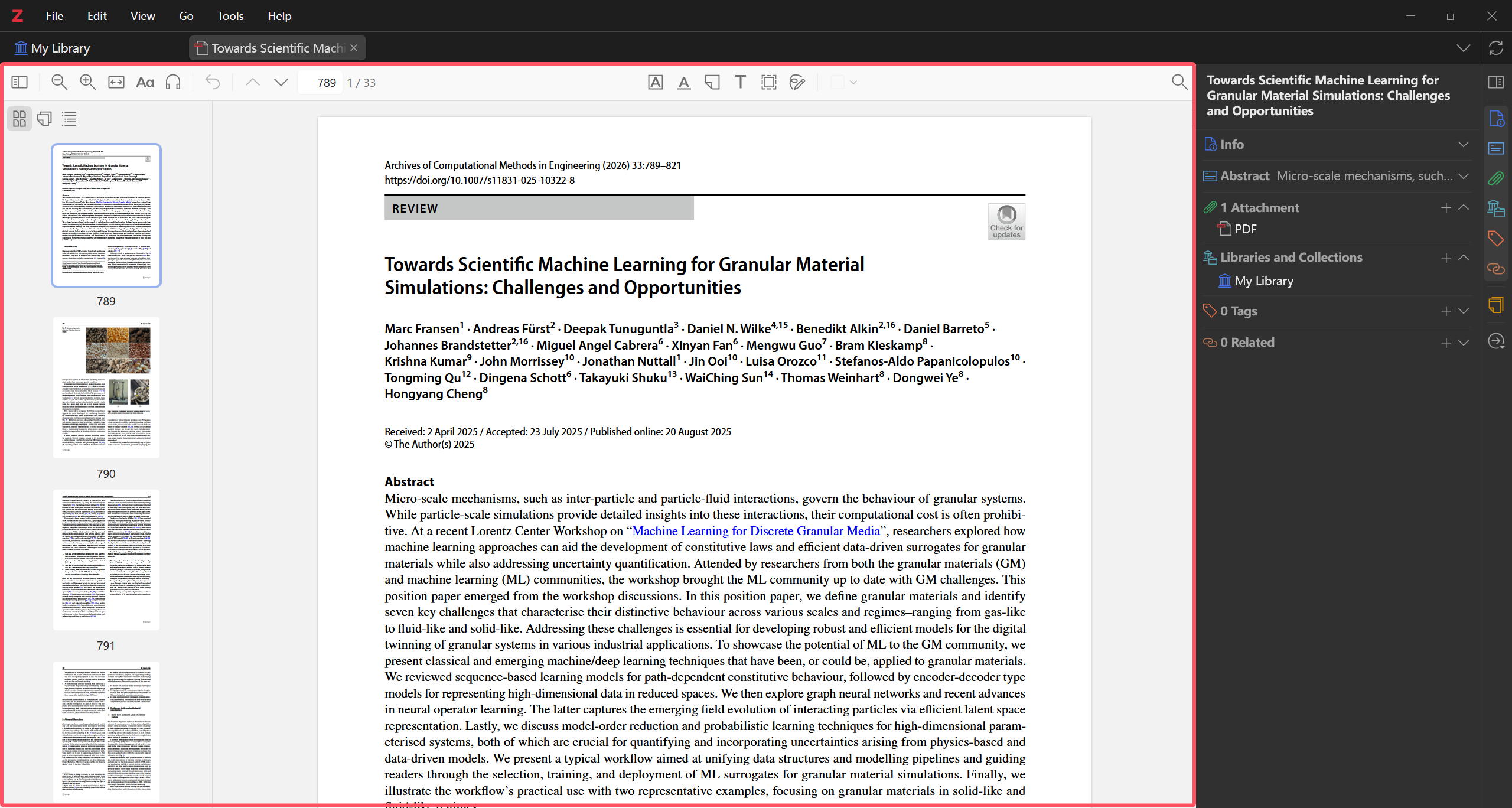
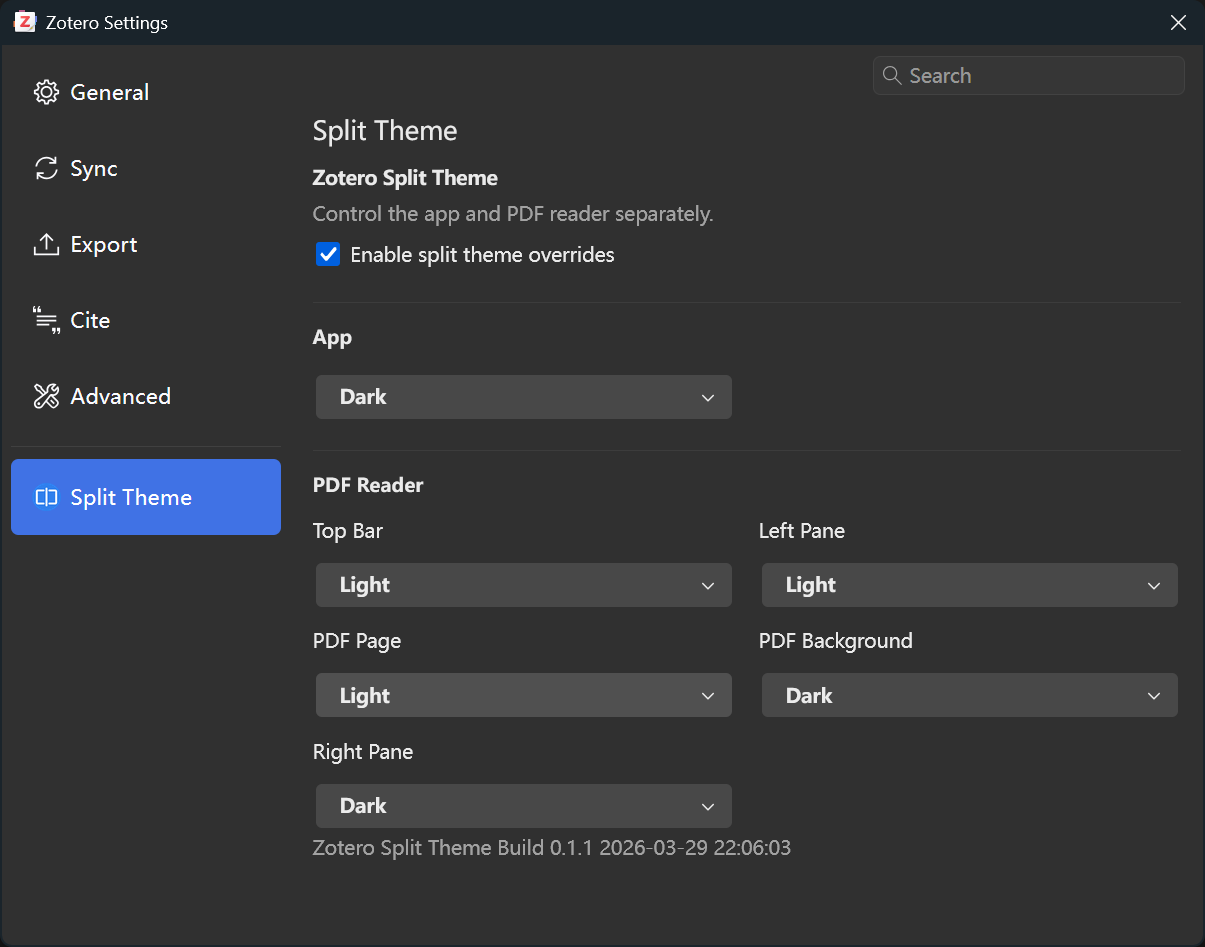
It allows users to configure Zotero’s interface and PDF reader areas with separate light/dark themes, so the main UI can stay dark while the PDF reading area remains light.
Features:
- Separate theme control for the main Zotero UI and PDF reader
- Independent styling for reader sub-areas
- Useful for users who want dark app chrome but a light reading surface
Compatibility:
- Zotero 7
- Zotero 8
GitHub:
https://github.com/Diraw/zotero-split-theme
Download:
https://github.com/Diraw/zotero-split-theme/releases/latest
Installation:
Download the .xpi file from the Releases page, then in Zotero go to Tools → Plugins and drag the .xpi into the Plugins window.
Screenshots:
https://s3.amazonaws.com/zotero.org/images/forums/u18020517/9c2nb98ckgoahafe3nh4.png
https://s3.amazonaws.com/zotero.org/images/forums/u18020517/cm4tg3a5lmo569onhakq.png
Feedback, bug reports, and suggestions are very welcome.
---
Hi everyone,
I’ve developed a plugin called Zotero Split Theme.
It allows users to configure Zotero’s interface and PDF reader areas with separate light/dark themes, so the main UI can stay dark while the PDF reading area remains light.
Features:
- Separate theme control for the main Zotero UI and PDF reader
- Independent styling for reader sub-areas
- Useful for users who want dark app chrome but a light reading surface
Compatibility:
- Zotero 7
- Zotero 8
GitHub:
https://github.com/Diraw/zotero-split-theme
Download:
https://github.com/Diraw/zotero-split-theme/releases/latest
Installation:
Download the .xpi file from the Releases page, then in Zotero go to Tools → Plugins and drag the .xpi into the Plugins window.
Screenshots:
https://s3.amazonaws.com/zotero.org/images/forums/u18020517/9c2nb98ckgoahafe3nh4.png
https://s3.amazonaws.com/zotero.org/images/forums/u18020517/cm4tg3a5lmo569onhakq.png
Feedback, bug reports, and suggestions are very welcome.
https://www.zotero.org/blog/zotero-8/#reader-appearance-panel-with-theme-support
(And there was a setting for this in Zotero 7 too.)
The reason is probably discoverability: the only theme-related setting I had noticed was the global light/dark mode in the main app settings, so I assumed the PDF reader itself couldn’t be configured separately.
Also, since the control is under the “Aa” icon, I always associated that with typography rather than appearance/theme settings, so I never thought to check there.
So this is totally on me, but it might also suggest the feature is a bit hard to discover. In any case, thanks for pointing it out, this is exactly the functionality I was trying to implement with a plugin.