
 Upgrade Storage
iPadOS scribble not working
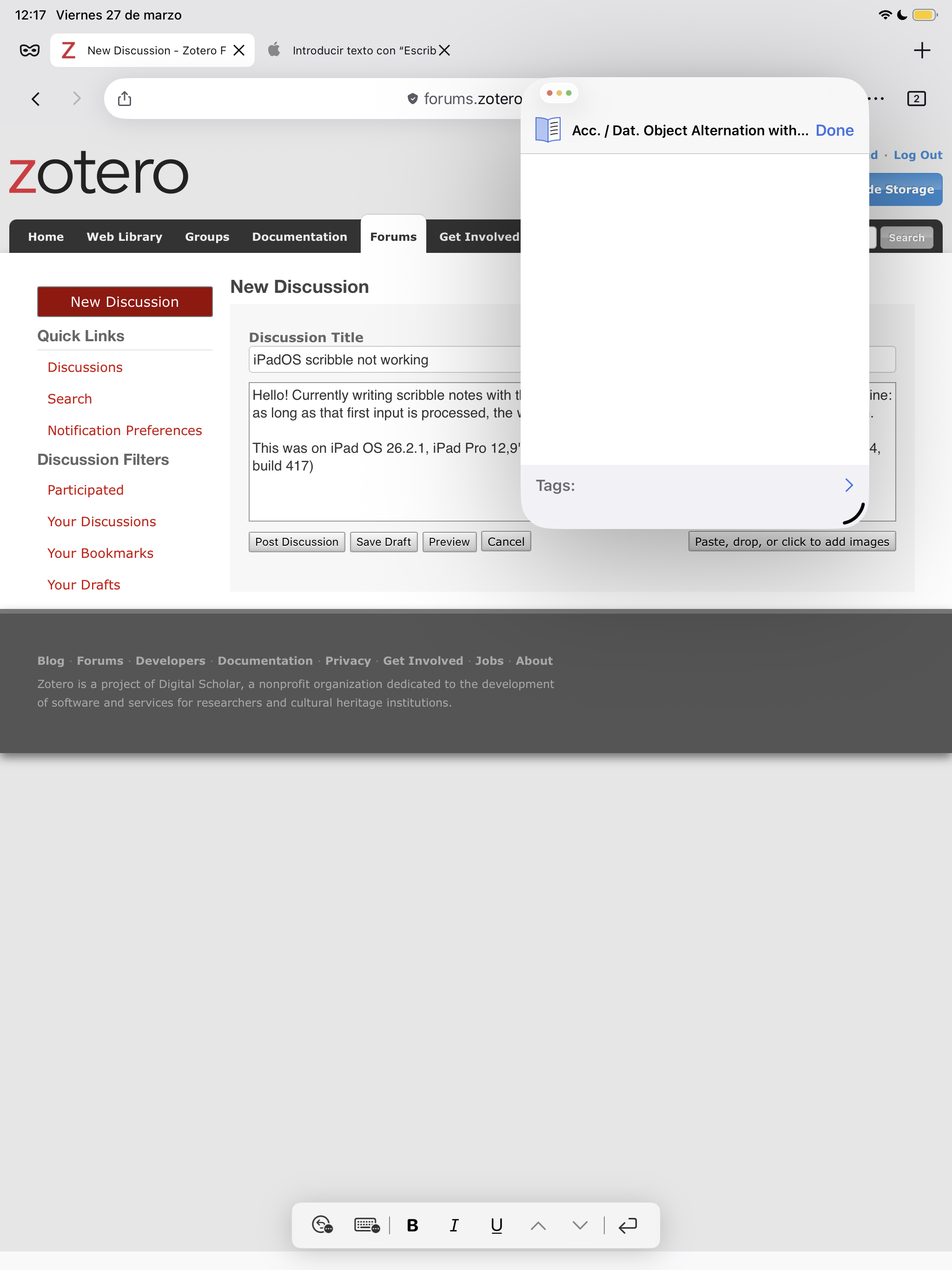
Hello! Currently writing scribble notes with the Zotero window not maximized works only for the first line: as long as that first input is processed, the window goes blank and you can't see what's been written.
This was on iPad OS 26.2.1, iPad Pro 12,9'' 2021, 2nd gen. iPad pencil, and Zotero latest build (2.0.4, build 41
https://s3.amazonaws.com/zotero.org/images/forums/u18256019/o1puaj2enewgum5j2cnh.png
7)
This was on iPad OS 26.2.1, iPad Pro 12,9'' 2021, 2nd gen. iPad pencil, and Zotero latest build (2.0.4, build 41
https://s3.amazonaws.com/zotero.org/images/forums/u18256019/o1puaj2enewgum5j2cnh.png
7)
First video was recorded while I made the post yesterday:
https://www.dropbox.com/scl/fi/e1jchf3ds6ymywdkqdsx9/ScreenRecording_03-27-2026-12-16-46_1.mov?rlkey=ozn2a73wmaxl3jm2r4253nhbb&st=6dbp20w9&dl=0
Second video shows that the issue only occurs when Zotero's window is too small, apparently. To my surprise, it worked perfectly if made a bit bigger. So that's a workaround, at least!
https://www.dropbox.com/scl/fi/2i62jk7t4qlfgpri691us/ScreenRecording_03-28-2026-22-54-07_1.mov?rlkey=wp79zlywt96slj76bw20j5vfo&st=qwj8ikoi&dl=0