
 Upgrade Storage
Automatic Backup Prompt Not Working
Hi Zotero team,
I recently wiped and reset my computer from a hard drive back up as per Apple's suggestions for some performance issues. Since having done so, I cannot launch Zotero despite deleting and reinstalling the application.
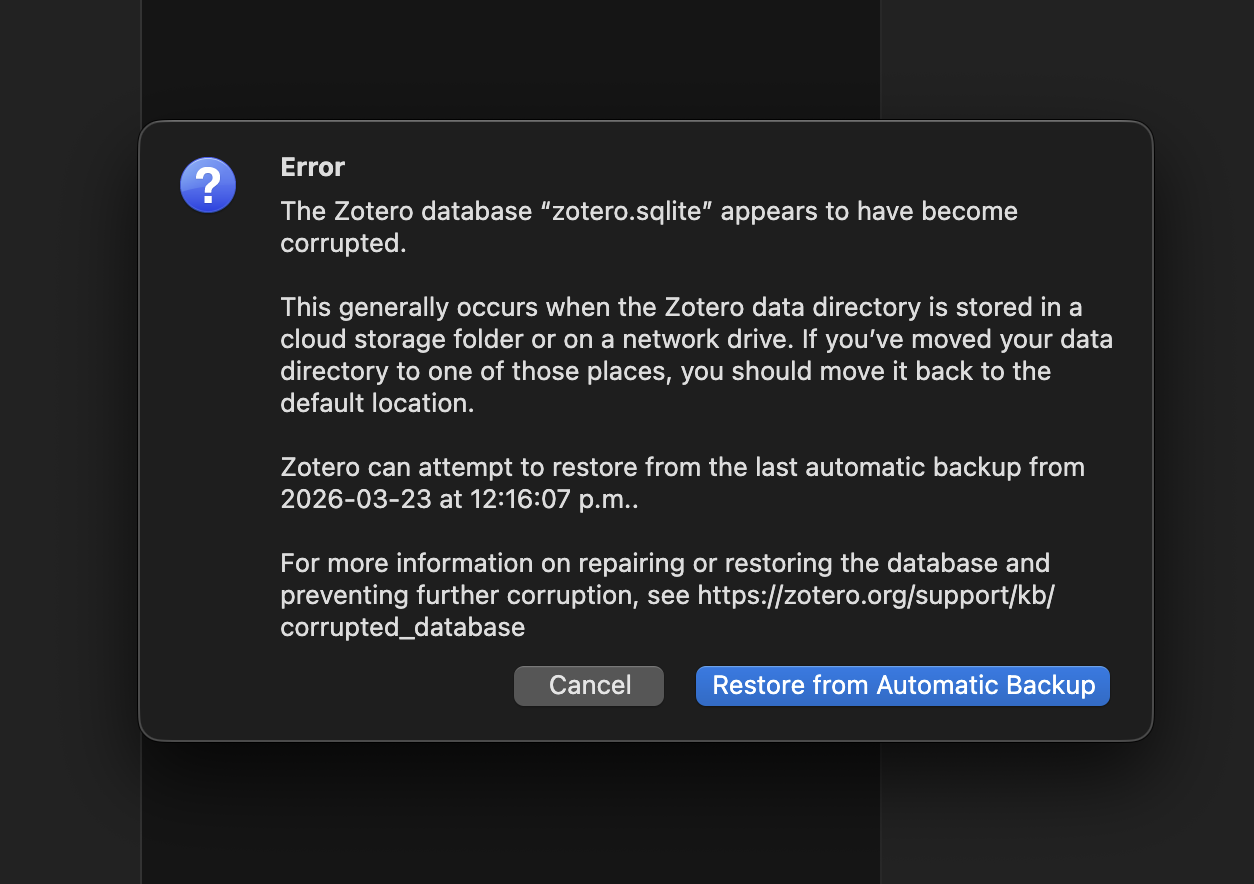
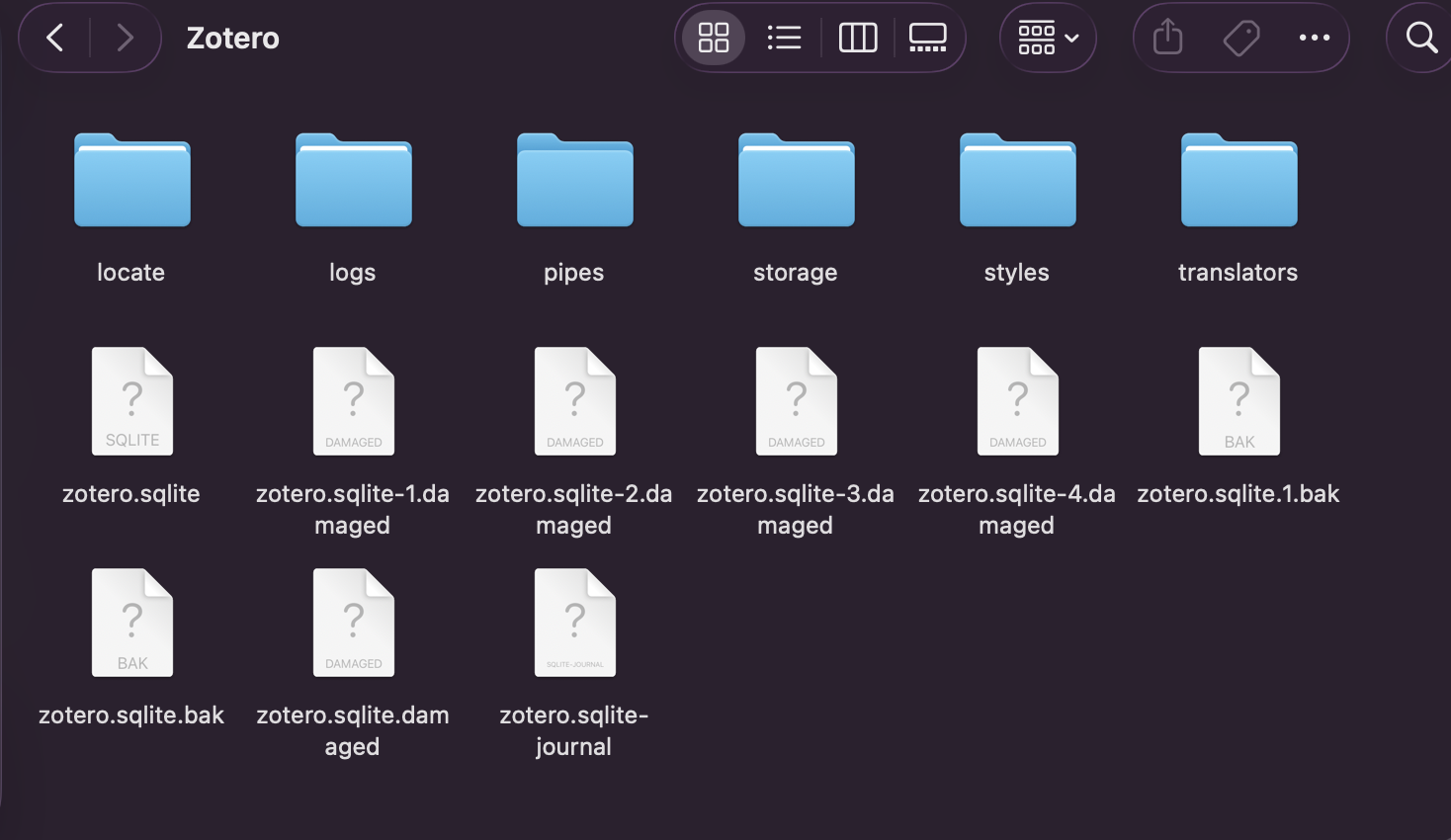
When I try to launch Zotero, I get the attached error message (image 1) and I cannot interact with the application at all. Both options on the error message lead to the application crashing. I also discovered that many of the saved Zotero files in my user account are damaged (image 2).
Is the solution deleting the damaged files, or could it be more complex than this?
Thank you in advance!
https://s3.amazonaws.com/zotero.org/images/forums/u11159867/snr34umhbnd5j5l0syom.png
https://s3.amazonaws.com/zotero.org/images/forums/u11159867/i827e4bpblds1cdl2d33.png
I recently wiped and reset my computer from a hard drive back up as per Apple's suggestions for some performance issues. Since having done so, I cannot launch Zotero despite deleting and reinstalling the application.
When I try to launch Zotero, I get the attached error message (image 1) and I cannot interact with the application at all. Both options on the error message lead to the application crashing. I also discovered that many of the saved Zotero files in my user account are damaged (image 2).
Is the solution deleting the damaged files, or could it be more complex than this?
Thank you in advance!
https://s3.amazonaws.com/zotero.org/images/forums/u11159867/snr34umhbnd5j5l0syom.png
https://s3.amazonaws.com/zotero.org/images/forums/u11159867/i827e4bpblds1cdl2d33.png
To be clear, this means either that the files from your external backup drive were corrupted or that something corrupted them when you copied them back to your disk.
Thank you for your help!