
 Upgrade Storage
Expand all (shift +) in Zotero's behavior changed
I have been using Zotero for over a year, and it had worked great for me.
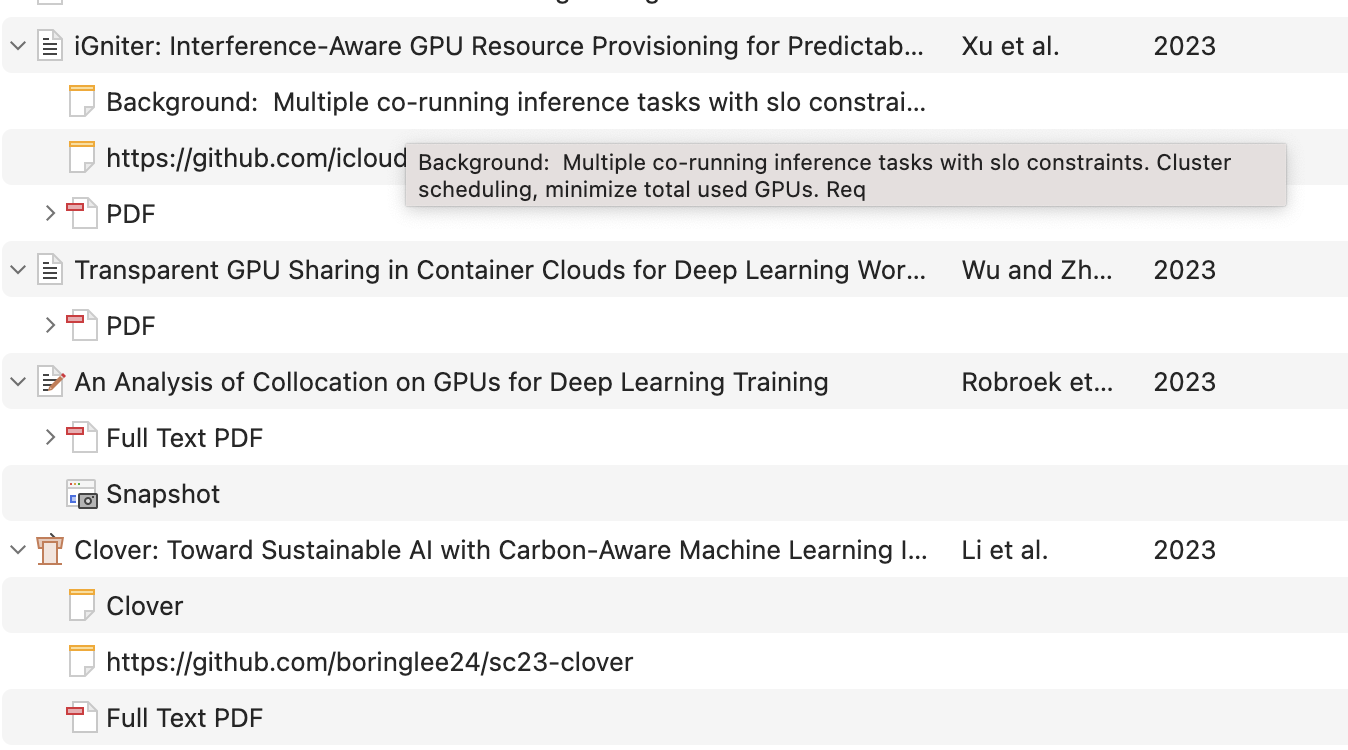
One feature that I relied on is the expand all shortcut, which expands all items' notes at once as shown in image below. This is very helpful because I can't really link the papers' contents with their titles great, but once I see my notes I clearly relates the items with their context.
https://s3.amazonaws.com/zotero.org/images/forums/u15701573/78xahxu8w6ubssepxksb.png
However, sometime this year this behavior suddenly changed. Now if I use the expand all shortcut, it turns out as below:
https://s3.amazonaws.com/zotero.org/images/forums/u15701573/0j0fn3b9qr9qmj6qlymy.png
It now also expand the PDF text, which is extremely long and I lose the ability to scan through the articles.
This has been troubling me for a long time, and I hope that I can receive some help. Or maybe I can choose to revert to the older version? If so I would also appreciate some guidance. Thank you very much!
One feature that I relied on is the expand all shortcut, which expands all items' notes at once as shown in image below. This is very helpful because I can't really link the papers' contents with their titles great, but once I see my notes I clearly relates the items with their context.
https://s3.amazonaws.com/zotero.org/images/forums/u15701573/78xahxu8w6ubssepxksb.png
However, sometime this year this behavior suddenly changed. Now if I use the expand all shortcut, it turns out as below:
https://s3.amazonaws.com/zotero.org/images/forums/u15701573/0j0fn3b9qr9qmj6qlymy.png
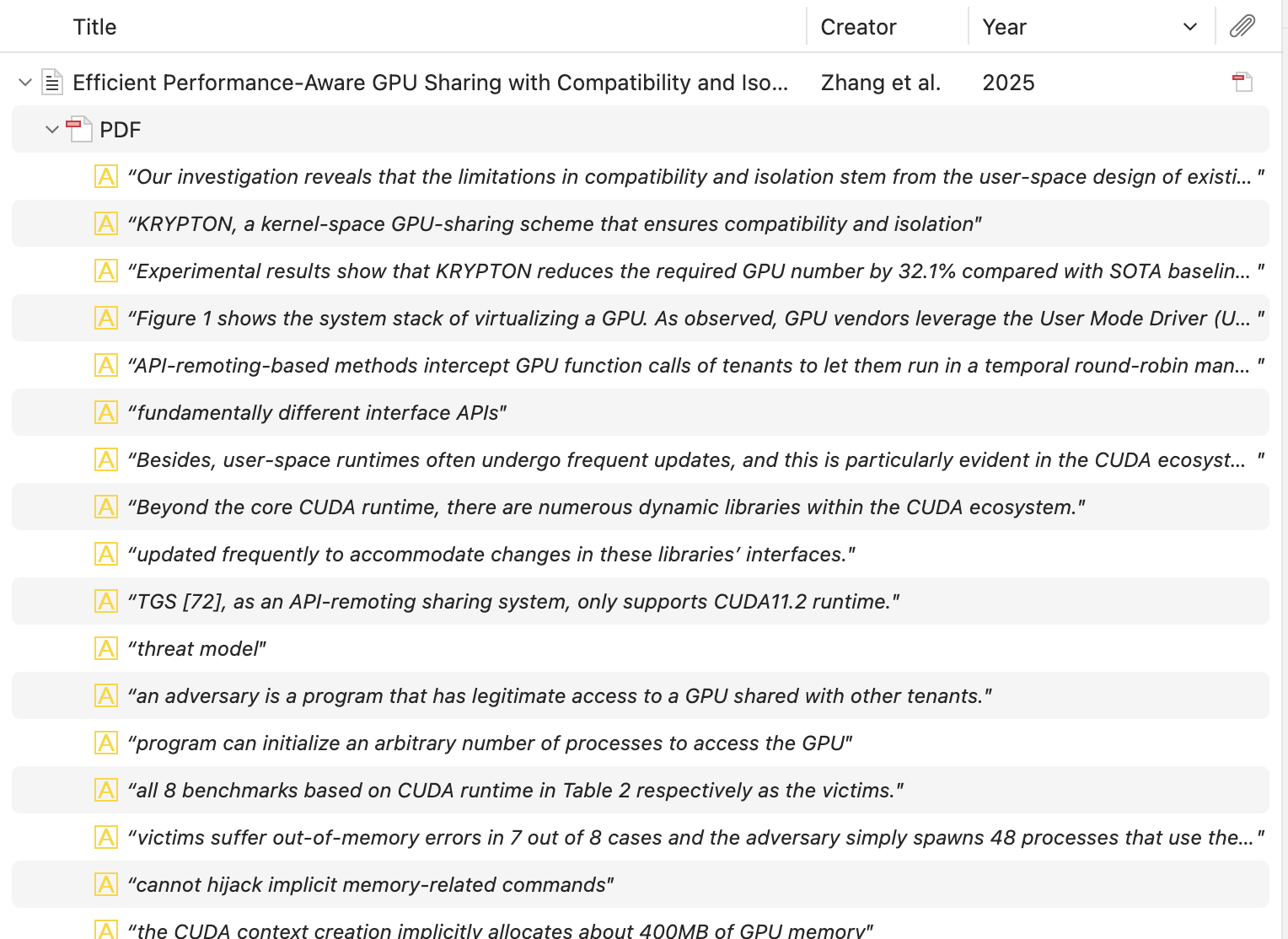
It now also expand the PDF text, which is extremely long and I lose the ability to scan through the articles.
This has been troubling me for a long time, and I hope that I can receive some help. Or maybe I can choose to revert to the older version? If so I would also appreciate some guidance. Thank you very much!
We'll be changing the behavior in an upcoming update to expand only one level at a time when you press +.
Looking forward to the updates :)