
 Upgrade Storage
Zotero 8 not renaming attachments
Good morning all,
There seems to be a problem with the automatic renaming of attachments, as the feature stopped working this morning: all new attachments are keeping their original file name instead.
https://s3.amazonaws.com/zotero.org/images/forums/u11716855/zkp9ngbiwsumqso2lbc0.png
Of course, the settings are as usual.
https://s3.amazonaws.com/zotero.org/images/forums/u11716855/p6nq1d50garz4flnn2so.png
Any ideas as to why it's not working as intented?
Many thanks,
N.E.
There seems to be a problem with the automatic renaming of attachments, as the feature stopped working this morning: all new attachments are keeping their original file name instead.
https://s3.amazonaws.com/zotero.org/images/forums/u11716855/zkp9ngbiwsumqso2lbc0.png
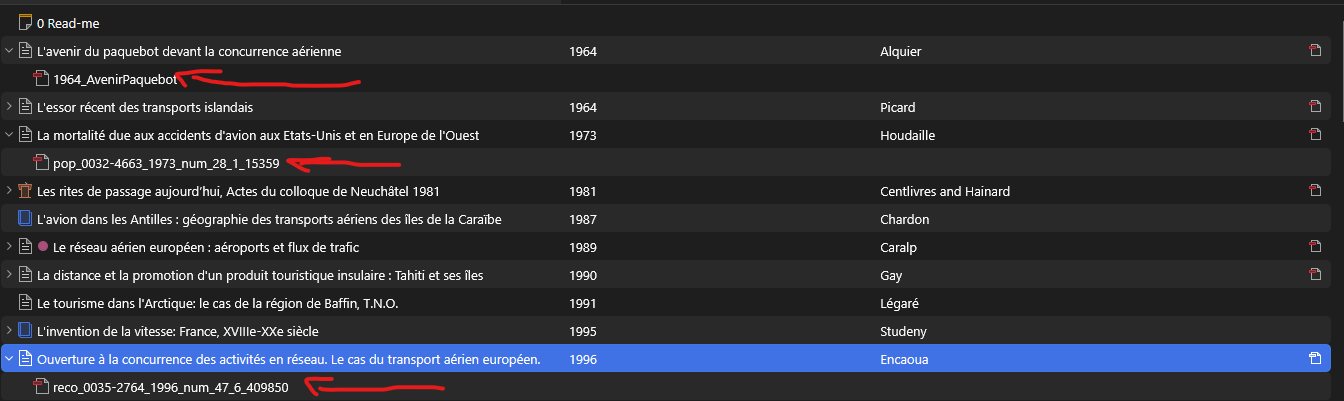
Of course, the settings are as usual.
https://s3.amazonaws.com/zotero.org/images/forums/u11716855/p6nq1d50garz4flnn2so.png
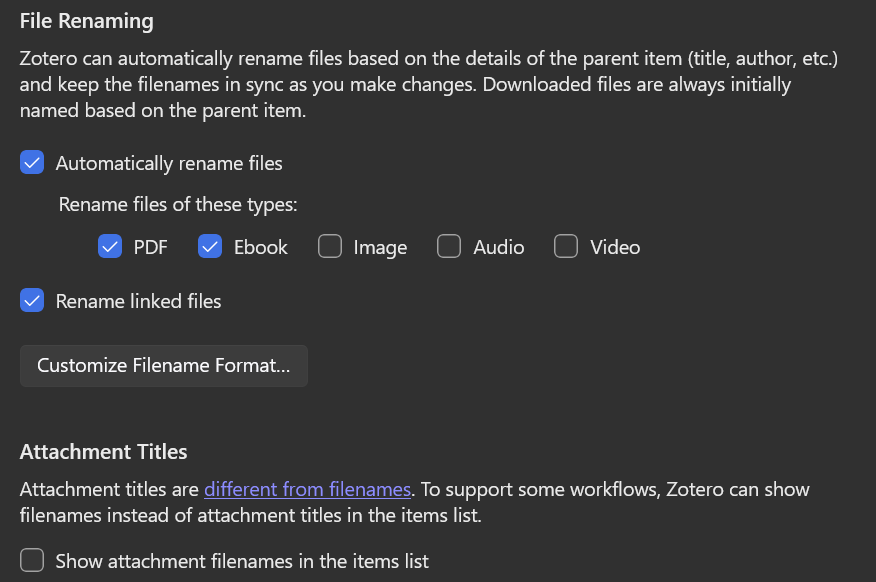
Any ideas as to why it's not working as intented?
Many thanks,
N.E.
Also, your screenshot shows attachment titles. Can you show the attachment item pane, which lists the filenames as well?
1. Start Zotero.
2. Find whatever article we want to add the file to
3. Find the file in file explorer
4. Drag and drop the file into the corresponding article entry
What i expect to see: file gets added and attachment title gets changed to "PDF", while file gets renamed according to filename format.
What happens now: file gets added but both the attachment title and file name stay the same, which is to say identical to the original file name.
Step 1&2:
https://s3.amazonaws.com/zotero.org/images/forums/u11716855/d893yfotubj0ddbkej8m.png
Step 3:
https://s3.amazonaws.com/zotero.org/images/forums/u11716855/3k328ypva0lde2mb08jz.png
Step 4 (completed):
https://s3.amazonaws.com/zotero.org/images/forums/u11716855/ck0kbb8dfestt0d524za.png
Many thanks for the assistance,
N.E.
The automatic renaming in group libraries still doesn't seem to work in Zotero 8.0.4. Is this still something we need to wait on the configuration update for even if we're the group owner, or is there a setting somewhere I should check that I might be missing.
Thanks in advance for the help.