
 Upgrade Storage
Changing the date format in the "Date added" column
I am currently seeing dates in the "date added" column as mm/dd/yyyy (see screenshot below).
https://s3.amazonaws.com/zotero.org/images/forums/u7214046/0xn5tpy26vbtknmgg5is.jpg
I would like to change it and instead display them in the format dd/mm/yyyy.
How do I change these settings?
https://s3.amazonaws.com/zotero.org/images/forums/u7214046/0xn5tpy26vbtknmgg5is.jpg
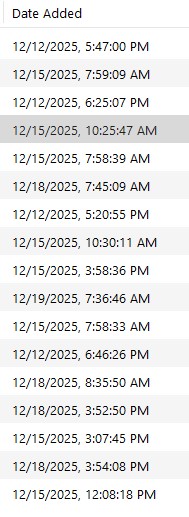
I would like to change it and instead display them in the format dd/mm/yyyy.
How do I change these settings?
I am not used to that time format. I would love to be able to change it to dd/mm/yyyy, as requested above.
Any chance to add it to the config option? @dstillman
thanks a lot
Best
Aleix