
 Upgrade Storage
Zotero Connector “Save to Zotero” button disappeared on CNKI after moving data directory (possible p
report ID: 877582455
I encountered an issue with Zotero after changing the data storage location, and I would appreciate any advice.
My C drive was running out of space, so I changed Zotero’s data directory from the C drive to the D drive and moved the data accordingly.
After restarting Zotero, all my previous references disappeared.
I then tried launching Zotero as Administrator from the desktop, and the references appeared again.
However, since then I have not been able to save items from CNKI.
Current issues:
The “Save to Zotero” button in Zotero Connector no longer appears on CNKI pages.
I cannot capture PDF files or item metadata from CNKI.
From some troubleshooting, it seems there might be a connection problem with port 23119, so the browser connector may not be communicating with the local Zotero client properly.
Could this be related to moving the data directory or running Zotero as Administrator?
What is the recommended way to troubleshoot Connector communication problems with port 23119?
https://s3.amazonaws.com/zotero.org/images/forums/u19444667/8w4t8s4yxr60x7u458r8.jpg
https://s3.amazonaws.com/zotero.org/images/forums/u19444667/2fdms0kov1akzjnqwjvv.jpg
How can I restore normal functionality for saving items from CNKI?
If more information is needed (Zotero version, browser version, Connector version, etc.), I would be happy to provide it.
Thank you very much for your help.
I encountered an issue with Zotero after changing the data storage location, and I would appreciate any advice.
My C drive was running out of space, so I changed Zotero’s data directory from the C drive to the D drive and moved the data accordingly.
After restarting Zotero, all my previous references disappeared.
I then tried launching Zotero as Administrator from the desktop, and the references appeared again.
However, since then I have not been able to save items from CNKI.
Current issues:
The “Save to Zotero” button in Zotero Connector no longer appears on CNKI pages.
I cannot capture PDF files or item metadata from CNKI.
From some troubleshooting, it seems there might be a connection problem with port 23119, so the browser connector may not be communicating with the local Zotero client properly.
Could this be related to moving the data directory or running Zotero as Administrator?
What is the recommended way to troubleshoot Connector communication problems with port 23119?
https://s3.amazonaws.com/zotero.org/images/forums/u19444667/8w4t8s4yxr60x7u458r8.jpg
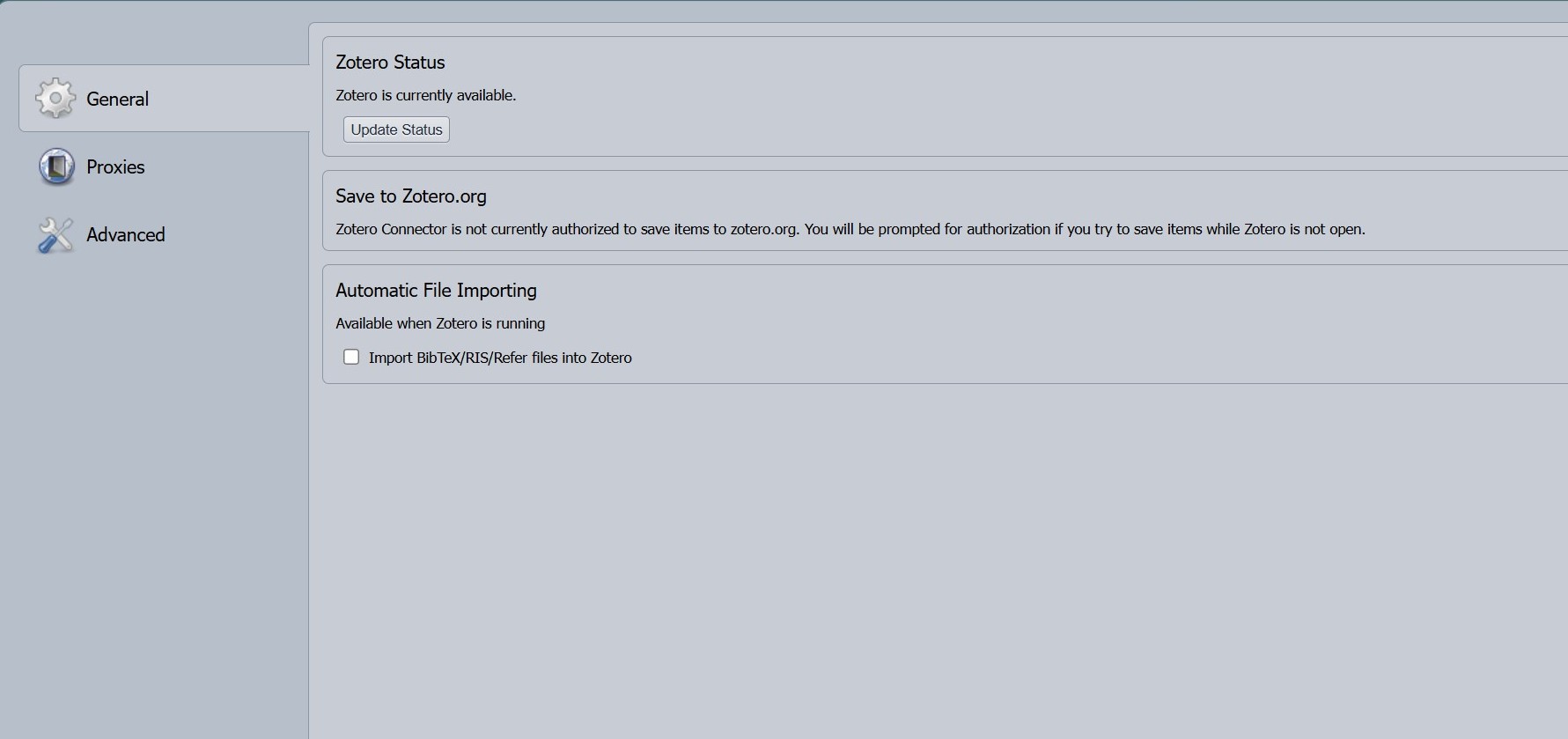
https://s3.amazonaws.com/zotero.org/images/forums/u19444667/2fdms0kov1akzjnqwjvv.jpg
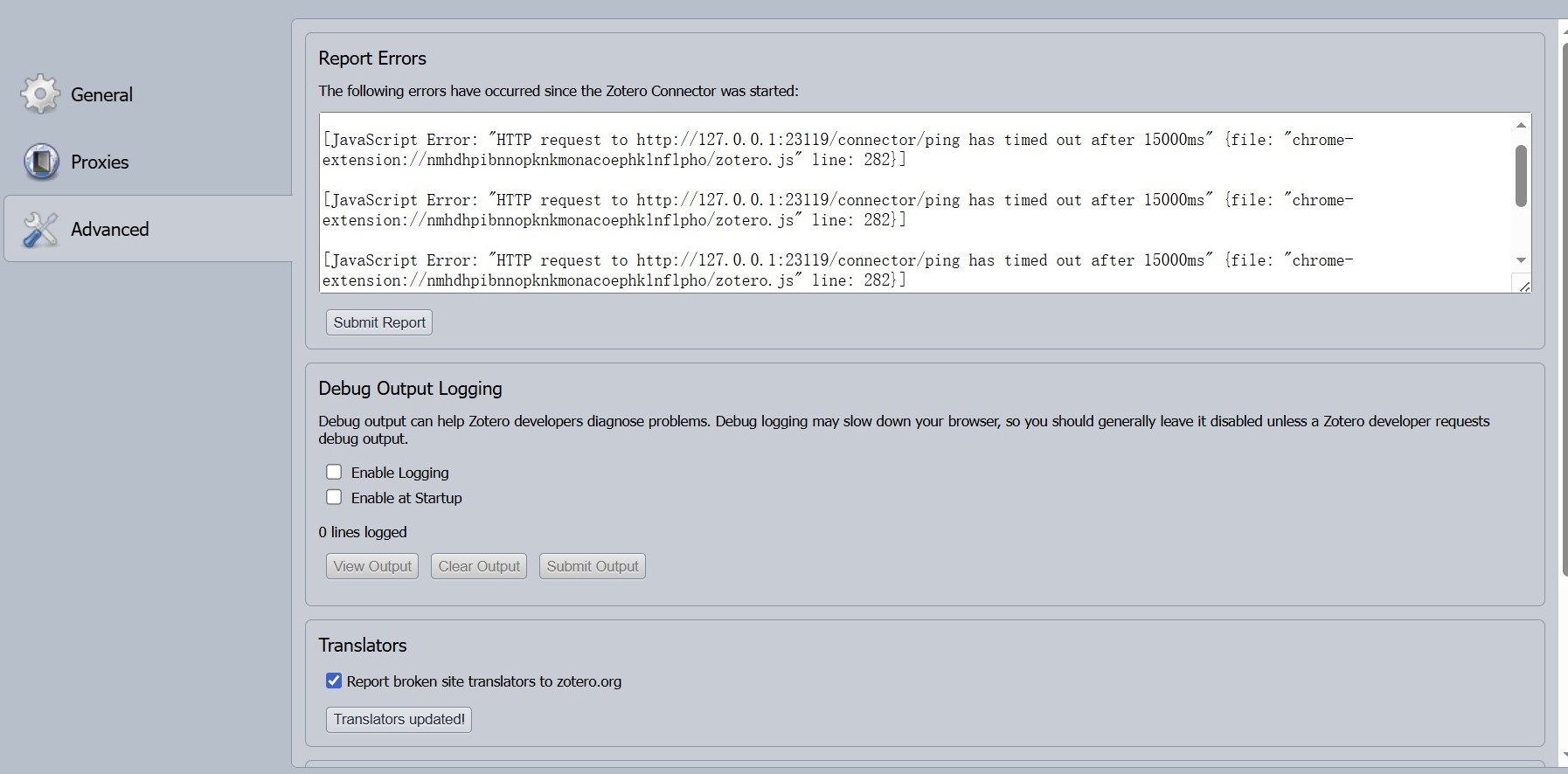
How can I restore normal functionality for saving items from CNKI?
If more information is needed (Zotero version, browser version, Connector version, etc.), I would be happy to provide it.
Thank you very much for your help.
-
adomasven Zotero TeamYou should not run Zotero as Administrator. If you library items are missing, you either didn't change the location of your data directory in Zotero Preferences -> Advanced, or didn't move the data directory files correctly. You should fix that and run Zotero normally.