
 Upgrade Storage
[Read Aloud] Cannot skip forward or backward by sentence
https://forums.zotero.org/discussion/130097/available-for-beta-testing-read-aloudAs you're listening, you can skip forward or backward by paragraph or sentence (Option/Alt-click or Option/Alt-left/right for the latter)
I have tested on a few files, and I am only able to skip forward or backward by paragraph with the arrow keys left and right. The shortcuts mentioned in the announcement post (Alt-click or Alt-left/right) do not do anything.
Is it possible to add the shortcuts in the tooltip?
https://s3.amazonaws.com/zotero.org/images/forums/u265723/uamxtng3cnp9ks76ruc4.png
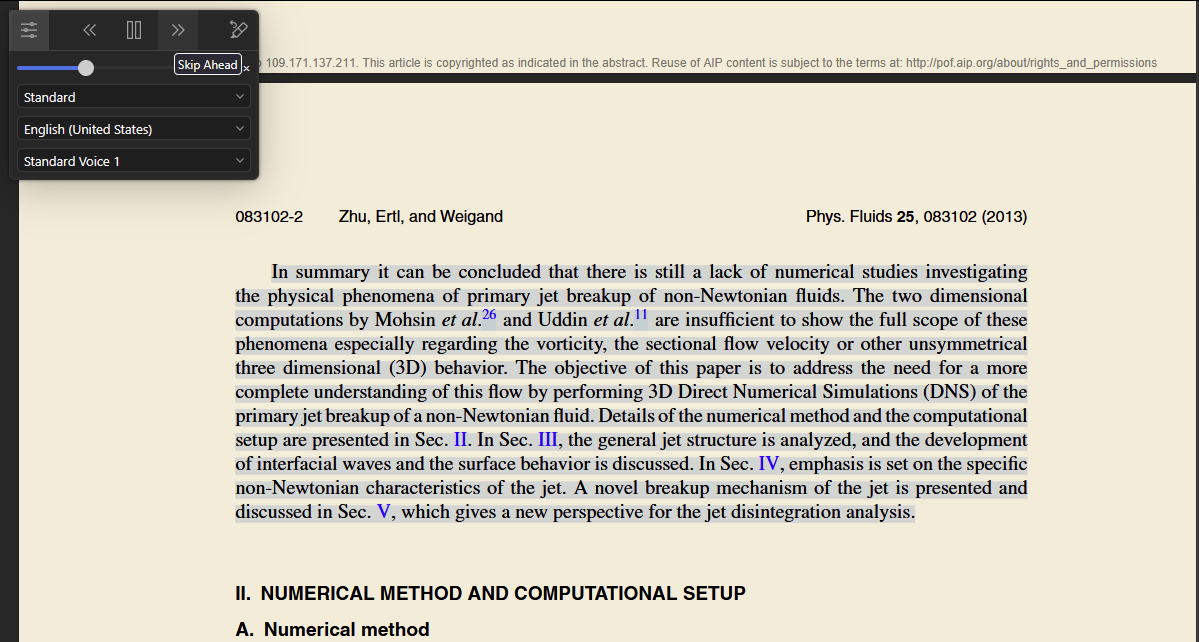
Zotero 9.0-beta.6+f5dd72dfb (64-bit)
Windows 11
Could you send the PDF in your screenshot to support@zotero.org? We'll take a look.
The shortcuts mentioned in the announcement post (Alt-click or Alt-left/right) do not do anything on any file, PDF or Snapshot or EPUB. The Alt-left/right is already assigned to the Back / Forward functions:
https://www.zotero.org/support/kb/keyboard_shortcuts#pdf_reader
I also don't know what the buttons Skip Back and Skip Ahead are supposed to do: jump one sentence or one paragraph?
https://s3.amazonaws.com/zotero.org/images/forums/u265723/67rw74ut82bm7aqckoqz.png
The buttons jump by paragraph without the Alt key pressed, or by sentence with the Alt key pressed (just like the arrow key shortcuts). The entire paragraph is always highlighted, though. We could look into making it easier to tell which sentence is being read after a jump.
I realise that the Alt-click shortcut is for doing the click on the Skip Back / Skip Ahead buttons... So that is actually working. But indeed, some indication to show which sentence is being read after a jump would be useful.
So only the Alt-left/right is not working. Thanks for the fix.
For example, switching from
≫to>?Zotero 9.0-beta.9+f130e3b3e (64-bit)
Windows 11
https://s3.amazonaws.com/zotero.org/images/forums/u265723/kvnuto2ig5pceffk4x86.png
The highlights I have made correspond to the sentences identified by Zotero.
PDF of https://doi.org/10.1021/la100031d.