
 Upgrade Storage
Can't save Sage results to Zotero
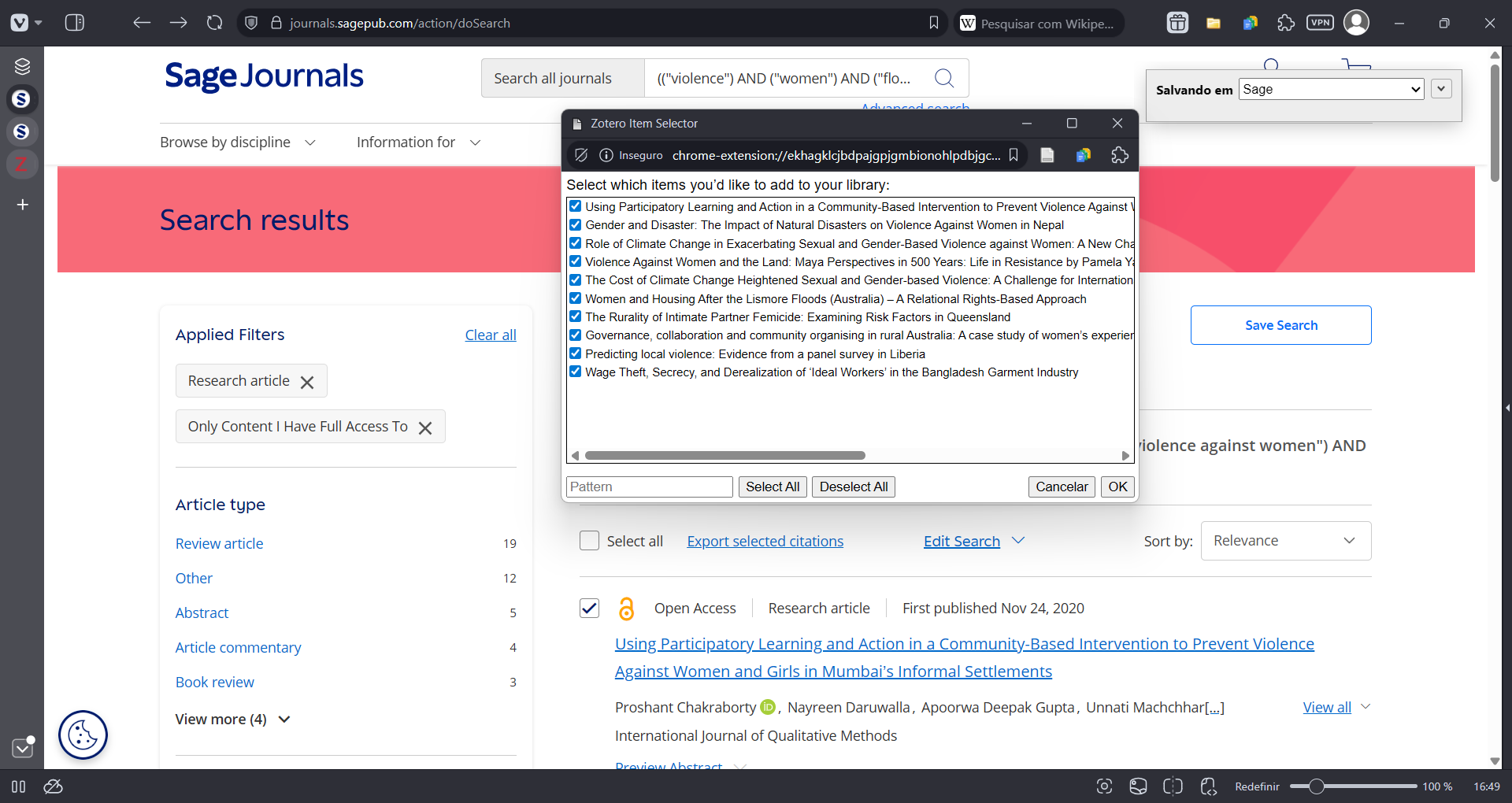
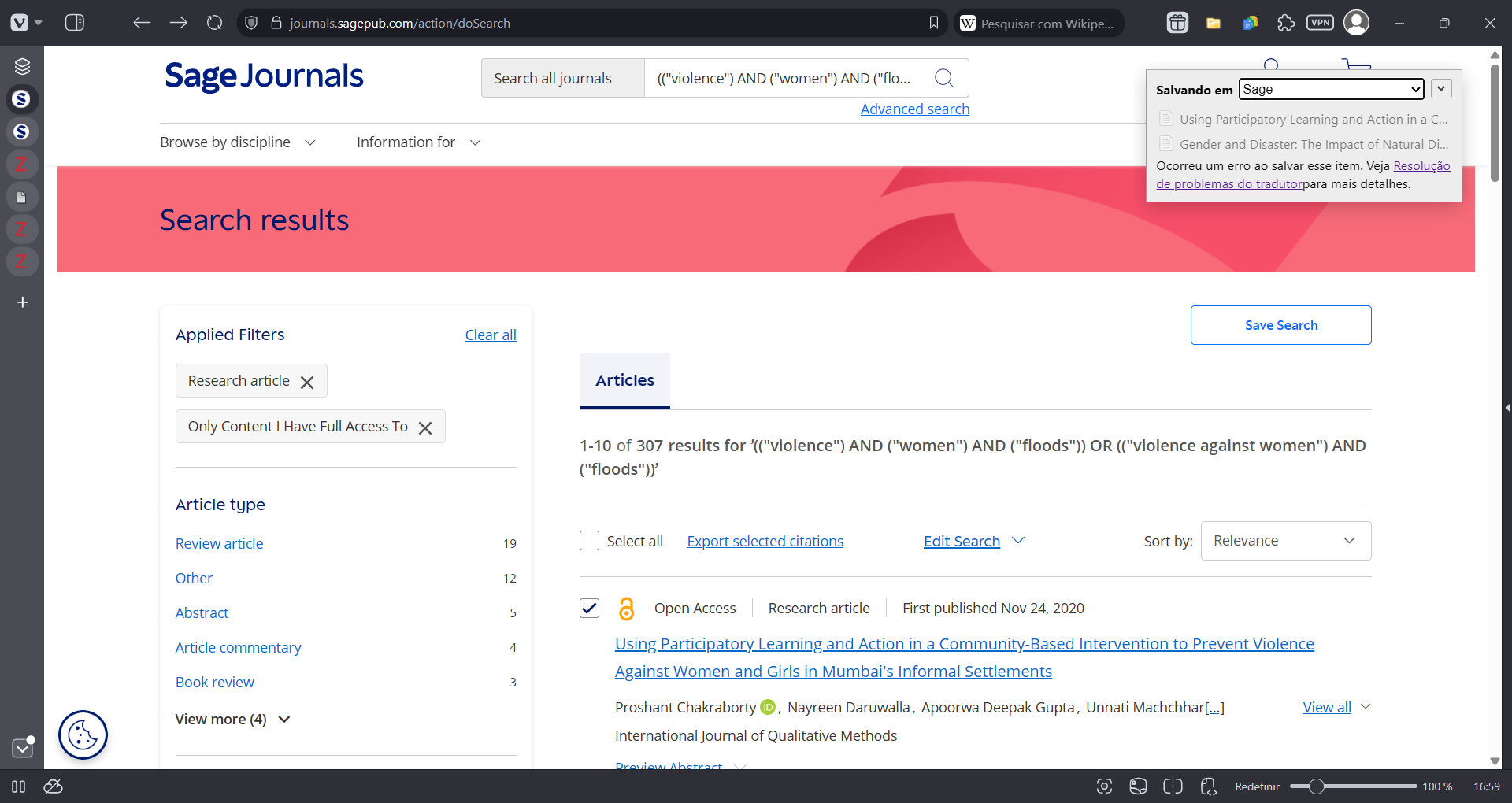
I'm trying to send some results from Sage Journals to Zotero, but I've been getting the translation error since the first couple of tries. I get to the selection/checklist screen, but as soon as it starts saving the results, I get the translation error. The search URL is:
https://journals.sagepub.com/action/doSearch?field1=AllField&text1=(("violence")+AND+("women")+AND+("floods"))+OR+(("violence+against+women")+AND+("floods"))&field2=AllField&text2=&publication=&Ppub=&access=user&startPage=&ContentItemType=research-article
The file icon is OK, it recognizes Sage Journals, the desktop software is running. I've tried restarting the browser (Vivaldi), no results. The extension is working perfectly on other websites like JSTOR. The popup says "Saving to Sage" (a subcollection). When I hover the cursor over the extension button, it says "Save to Zotero (SAGE Journals)". The debug ID is D188183109.
https://s3.amazonaws.com/zotero.org/images/forums/u19739907/vgwdqcqcaephtdjh0o2g.png
https://s3.amazonaws.com/zotero.org/images/forums/u19739907/7om6oggjdmk8rk0r5zre.png
https://journals.sagepub.com/action/doSearch?field1=AllField&text1=(("violence")+AND+("women")+AND+("floods"))+OR+(("violence+against+women")+AND+("floods"))&field2=AllField&text2=&publication=&Ppub=&access=user&startPage=&ContentItemType=research-article
The file icon is OK, it recognizes Sage Journals, the desktop software is running. I've tried restarting the browser (Vivaldi), no results. The extension is working perfectly on other websites like JSTOR. The popup says "Saving to Sage" (a subcollection). When I hover the cursor over the extension button, it says "Save to Zotero (SAGE Journals)". The debug ID is D188183109.
https://s3.amazonaws.com/zotero.org/images/forums/u19739907/vgwdqcqcaephtdjh0o2g.png
https://s3.amazonaws.com/zotero.org/images/forums/u19739907/7om6oggjdmk8rk0r5zre.png
-
AbeJellinek Zotero TeamThanks, fixed. Your Zotero Connector should auto-update within a few minutes, or you can update translators manually from the Advanced pane of the Zotero settings.