
 Upgrade Storage
PDF Viewer: Feature request: Add option to trim margins
First, thanks for your time <3
Second, in [Okular](https://okular.kde.org/) I really like the option to trim the margins of the page. This does not manipulate the PDF itself, but elegantly removes the margins.
To find this setting: Okular > View > Trim View > Trim Margins (or Trim to selection)
When reading manuscripts/books that have big margins (especially top&bottom) this greatly helps screen-space efficiency.
Would be wonderful to see this in the future <3
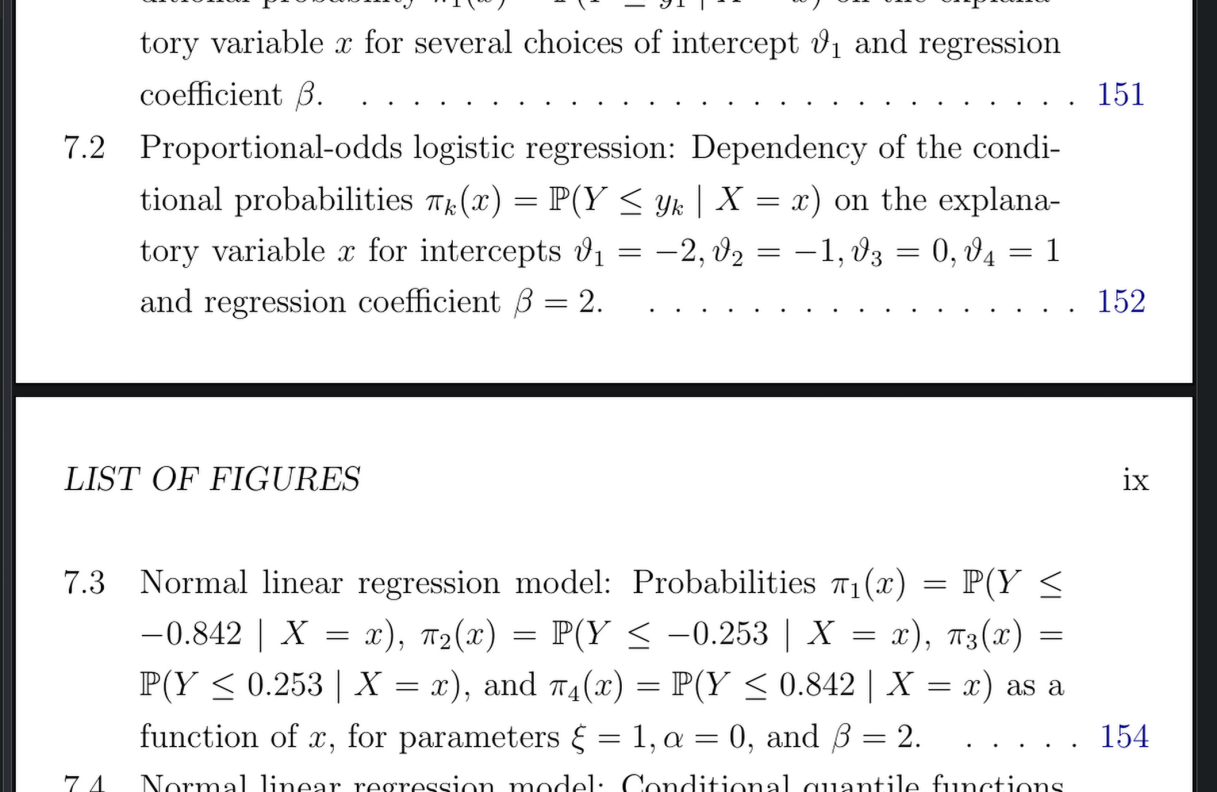
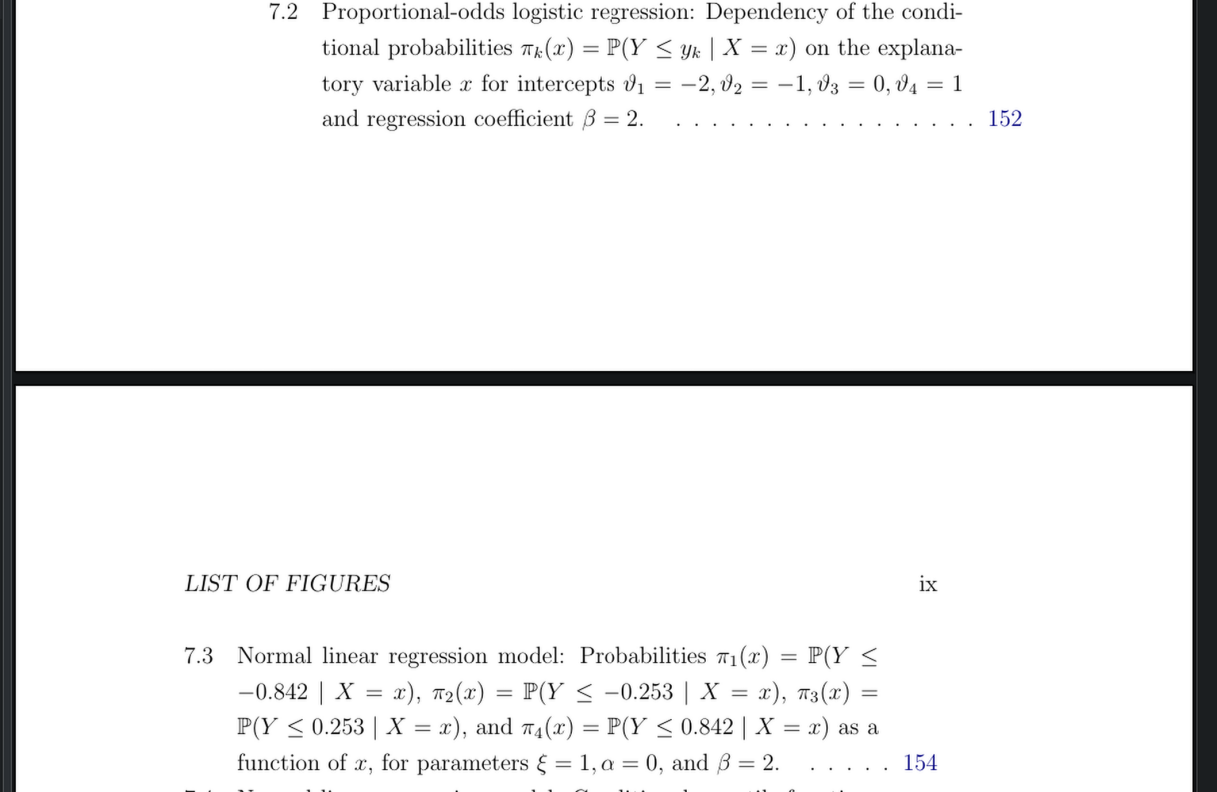
Image comparison:
trimmed:
https://s3.amazonaws.com/zotero.org/images/forums/u16288523/mj3pn23myqyv4ov5p45m.png
original:
https://s3.amazonaws.com/zotero.org/images/forums/u16288523/9abj6l11hdn8sp059p3c.png
Second, in [Okular](https://okular.kde.org/) I really like the option to trim the margins of the page. This does not manipulate the PDF itself, but elegantly removes the margins.
To find this setting: Okular > View > Trim View > Trim Margins (or Trim to selection)
When reading manuscripts/books that have big margins (especially top&bottom) this greatly helps screen-space efficiency.
Would be wonderful to see this in the future <3
Image comparison:
trimmed:
https://s3.amazonaws.com/zotero.org/images/forums/u16288523/mj3pn23myqyv4ov5p45m.png
original:
https://s3.amazonaws.com/zotero.org/images/forums/u16288523/9abj6l11hdn8sp059p3c.png
`pip install pdfCropMargins`
c.f. https://superuser.com/questions/1487564/is-there-a-linux-tool-that-can-autocrop-the-white-margins-in-a-pdf-file
replace the PDF in Zotero/storage/foo.pdf with the cropped version
The proposed workaround not practical at all.
However I think on both desktop and apps having an set margin and remove margin option would have the same effect as my suggested solution of fixing zoom.
Hopefully some developer reads this and can answer me on github so I might be able to contribute.