
 Upgrade Storage
Citation keys are no longer generated upon import
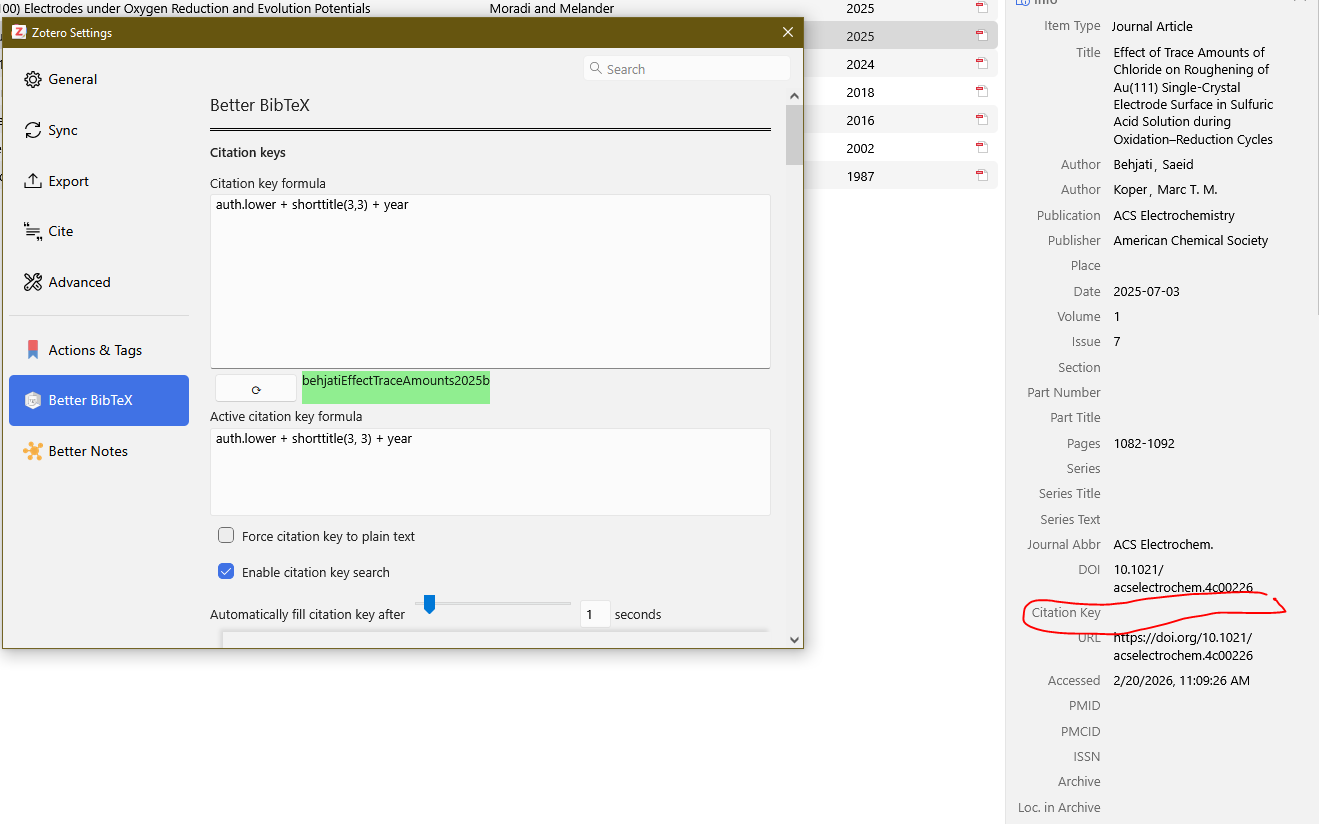
I have encountered an issue since yesterday where the citation key field stays empty when I import a new paper (both when I import via the browser extention as well as drag and uploading a pdf file). I am using BBT and both BTT and Zotero have the most recent updates.
This is a problem for me as when I export my library to a BibTeX document, I can't cite any of the papers as there is no citation key. All the papers imported before yesterday have kept their citation keys.
When selecting one of the papers without a citation key and then going to Edit > Setting > Better BibTeX does show what the citation key should be, but it seems to not properly fill int he citation key field (see image)
https://s3.amazonaws.com/zotero.org/images/forums/u12264362/ylslbu40qog6qtw9wty5.png
Has anyone else encountered this issue and/or does anyone know of a way to fix this?
This is a problem for me as when I export my library to a BibTeX document, I can't cite any of the papers as there is no citation key. All the papers imported before yesterday have kept their citation keys.
When selecting one of the papers without a citation key and then going to Edit > Setting > Better BibTeX does show what the citation key should be, but it seems to not properly fill int he citation key field (see image)
https://s3.amazonaws.com/zotero.org/images/forums/u12264362/ylslbu40qog6qtw9wty5.png
Has anyone else encountered this issue and/or does anyone know of a way to fix this?
Problems with BBT itself (such as citekey generation) should be reported on github. Please don't omit a debug log.
After changing some BBT settings back and forth plus relaunching Zotero a few times, the auto-generation started working again. I can't tell you exactly what solved it. The issue seems known and fixed now: https://github.com/retorquere/zotero-better-bibtex/issues/3428
It's worth checking for a BBT update: Tools > Plugins > gear icon near Manage Your Plugins > Check for Updates.