
 Upgrade Storage
Zotero Addin Tab Keeps Disappearing
Hi Everyone, I trust you are all keeping well.
I have an issue with the Zotera addin in that it keeps disappearing everytime I close Word 365. I have uninstall and reinstalled Zotero application. I have reinstalled Zotero Word addin via Zotera app | Edit | Settings | Cite | Reinstall Microsoft Word Add-in.
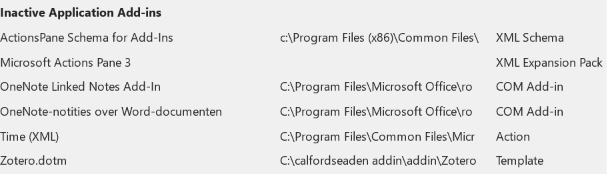
I have looked in Word | Options | Addins | Inactive Application Add-ins and it is listed in there as an Inactive Template.
https://s3.amazonaws.com/zotero.org/images/forums/u19687110/fytvvgkmak65n9223ga7.png
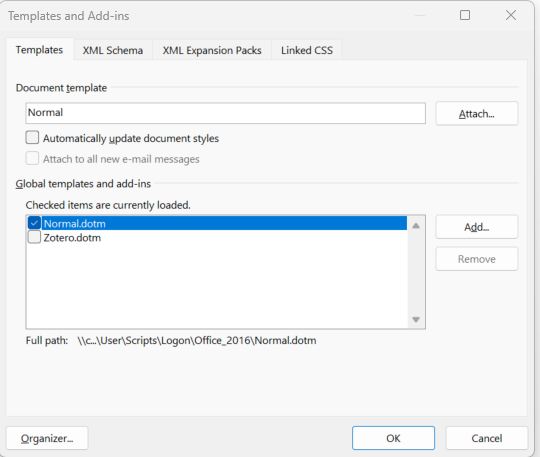
If I try to enable it via Manage | Templates | Go, I can see it unchecked and then have to check it again and click on OK.
https://s3.amazonaws.com/zotero.org/images/forums/u19687110/4m5u30ulve2tnzom50ou.png
Once I close Word, it disappears.
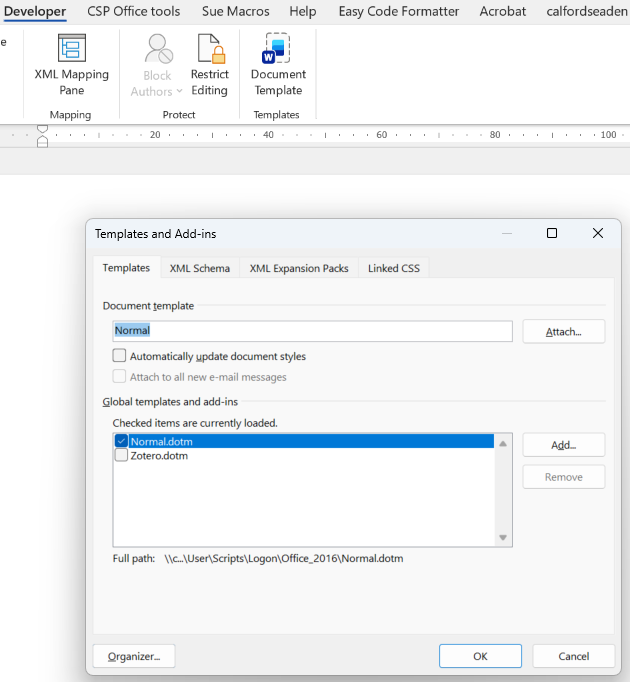
I have to keep manually enabling the add-in by going to Developer tab | Templates | Document Template | enable the Zotero.dotm template and click OK.
https://s3.amazonaws.com/zotero.org/images/forums/u19687110/b8y53p54kct8qzj85h5e.png
Can someone please advise on how to keep the Addin enabled at all times.
Thanking you in advance.
Sue
I have an issue with the Zotera addin in that it keeps disappearing everytime I close Word 365. I have uninstall and reinstalled Zotero application. I have reinstalled Zotero Word addin via Zotera app | Edit | Settings | Cite | Reinstall Microsoft Word Add-in.
I have looked in Word | Options | Addins | Inactive Application Add-ins and it is listed in there as an Inactive Template.
https://s3.amazonaws.com/zotero.org/images/forums/u19687110/fytvvgkmak65n9223ga7.png
If I try to enable it via Manage | Templates | Go, I can see it unchecked and then have to check it again and click on OK.
https://s3.amazonaws.com/zotero.org/images/forums/u19687110/4m5u30ulve2tnzom50ou.png
Once I close Word, it disappears.
I have to keep manually enabling the add-in by going to Developer tab | Templates | Document Template | enable the Zotero.dotm template and click OK.
https://s3.amazonaws.com/zotero.org/images/forums/u19687110/b8y53p54kct8qzj85h5e.png
Can someone please advise on how to keep the Addin enabled at all times.
Thanking you in advance.
Sue
You seem to have .dotm files in a custom location. It should be in the Word Startup folder.
Thanks for the help above. My Word Startup folder points to: c:\calfordseaden addin\addin.
https://s3.amazonaws.com/zotero.org/images/forums/u19687110/9swo3ctlk842qq67rzpy.png
In that folder we have the Zotero.dotm file:
https://s3.amazonaws.com/zotero.org/images/forums/u19687110/i0lplzohlwym3tkbtish.png