
 Upgrade Storage
SOLVED: Cannot open pdf/document, because of "Unresponsive script"-error
It says following:
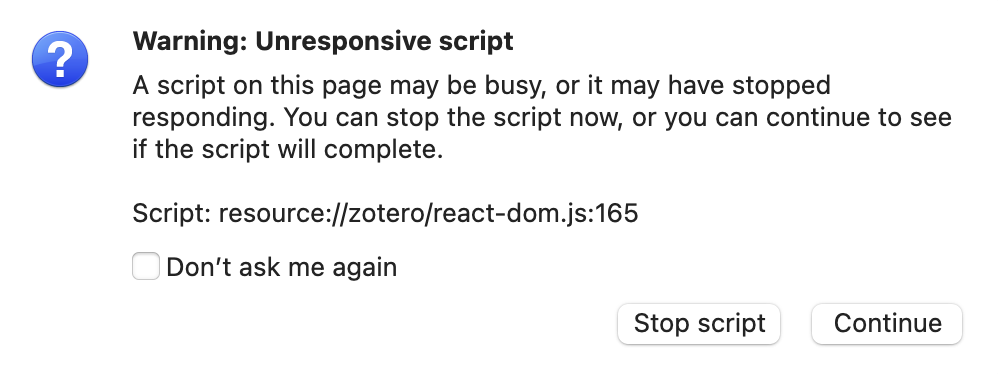
"Warning: Unresponsive Script
A script on this page may be busy, or it may have stopped responding. You can stop the script now, or you can continue to see if the script will complete.
Script: resource://zotero/react-dom.js:165"
This happens only when I want to open a specific pdf. Not with others. Can anybody help me please?
https://s3.amazonaws.com/zotero.org/images/forums/u16660026/2mur1wi8os4av2lmu936.png
"Warning: Unresponsive Script
A script on this page may be busy, or it may have stopped responding. You can stop the script now, or you can continue to see if the script will complete.
Script: resource://zotero/react-dom.js:165"
This happens only when I want to open a specific pdf. Not with others. Can anybody help me please?
https://s3.amazonaws.com/zotero.org/images/forums/u16660026/2mur1wi8os4av2lmu936.png
Approximately how many annotations does the PDF this happens for have?
Thank you a lot for the advice, it does work when I use "Restart in Troubleshooting Mode".
Interestingly enough, when I open it in normal mode again without Troubleshooting Mode, I can open it too at first. But once I open the sidebar with annotations, it starts to load for a bit again and then crashes, the script-error pops up once again, which makes it impossible to use unfortunately.
I definitely got tons of annotations in this pdf. It got 844 pages and I have 758 annotations..
--> Deleting the "Better Notes" plugin <--
I had to delete (or maybe switching the button to off would have been enough) the Better Notes plugin (https://github.com/windingwind/zotero-better-notes).
Now it works flawlessly again.
Dev of the Plugin should find a solution though. Luckily I barely used it, so I don't care about lost notes from the Plugin. I know it's pretty popular though and it looks like that could be major concern and issue for many users.
Maybe the dev just needs to implement "Better Notes" for the new version of Zotero, Zotero 8.