
 Upgrade Storage
Bibliography Error Google Docs
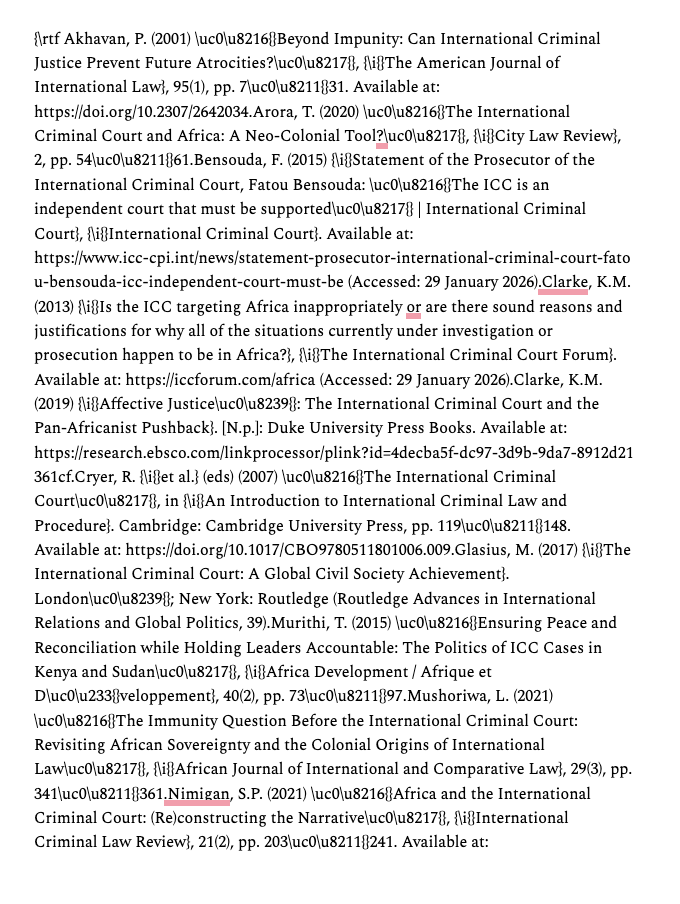
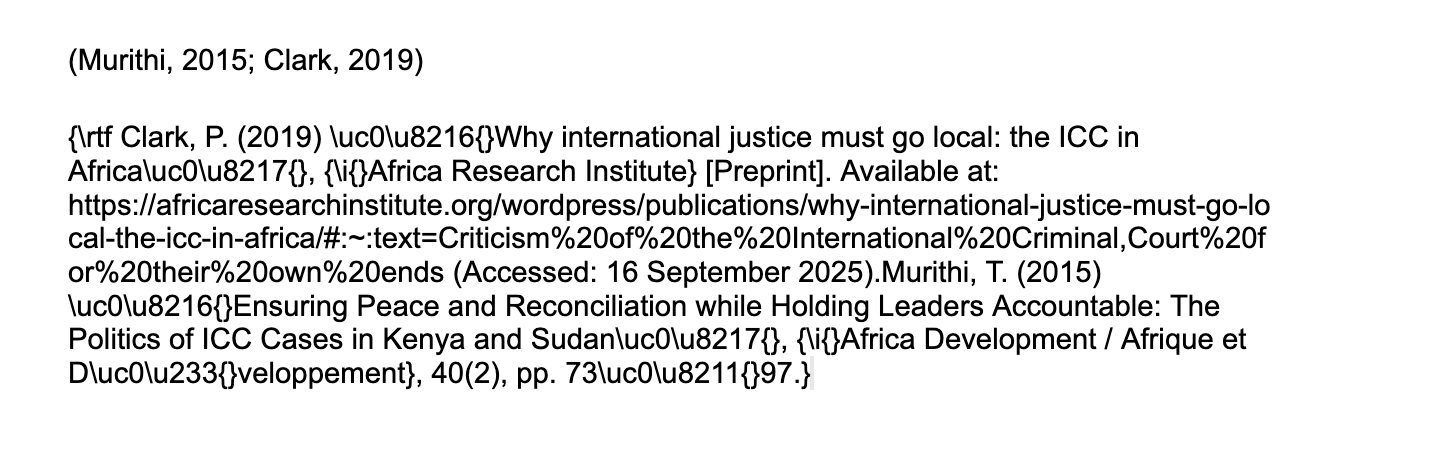
Whenever I try to insert a bibliography it shows up as one big block like this with loads of numbers and things in between. The in-text citations are completely normal. I tried to create a new doc but the same thing happened. I'm using the citation style, Cite Them Right 12th ed Harvard. Does anyone know how to fix this?
https://s3.amazonaws.com/zotero.org/images/forums/u13214780/asqx8rowcwh69r6gvu9k.png
https://s3.amazonaws.com/zotero.org/images/forums/u13214780/7c59nzep0xaws32wxdkr.png
https://s3.amazonaws.com/zotero.org/images/forums/u13214780/asqx8rowcwh69r6gvu9k.png
https://s3.amazonaws.com/zotero.org/images/forums/u13214780/7c59nzep0xaws32wxdkr.png
Does this happen if you insert different citations into a new document? Use a different citation style?
D1266251185
The same problem happens with different citations in a new document, but I think it's only with the Harvard style. When I tried the Chicago style in a new document, the bibliography was normal.