
 Upgrade Storage
Shortcuts not working on macOS
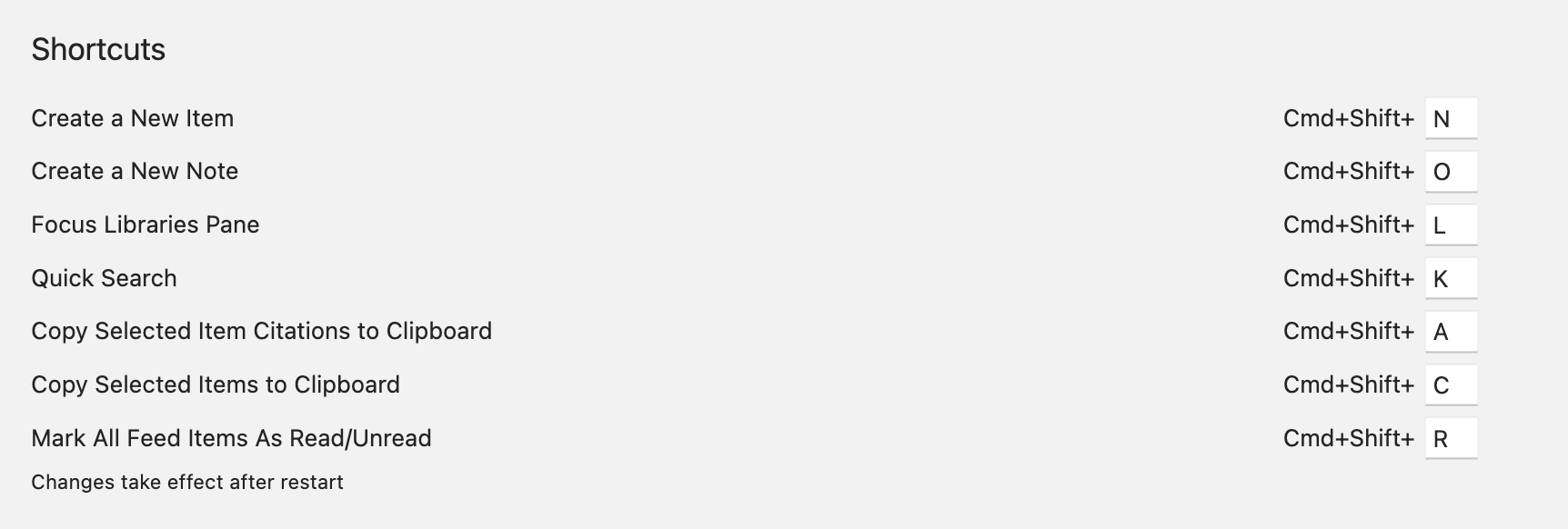
It seems like the shortcuts in the "Advanced" options panel don't work for me on Zotero 8.0.1, macOS Tahoe 26.2 on an M4 Max. For instance, if I Cmd+Shift+L or Cmd+Shift+K, nothing happens.
I haven't changed any settings, and these shortcuts work fine in other apps (I'm quite sure there's nothing else taking priority over the key mapping). Any idea what the issue could be, or what I can do to further troubleshoot?
https://s3.amazonaws.com/zotero.org/images/forums/u8297897/o0ecyd6v1d9oavnw9t89.png
I haven't changed any settings, and these shortcuts work fine in other apps (I'm quite sure there's nothing else taking priority over the key mapping). Any idea what the issue could be, or what I can do to further troubleshoot?
https://s3.amazonaws.com/zotero.org/images/forums/u8297897/o0ecyd6v1d9oavnw9t89.png
I've also tried closing all other running apps, with no effect.
Is there a shortcut to move to the Library tab?
Seems to be resolved otherwise, thank you!