
 Upgrade Storage
Zotero 8 PDF Reader Dark Mode - Contrast in figures
In Zotero 8, how would I make a PDF reader theme that looks like the "Zotero 7 dark" image below?
https://s3.amazonaws.com/zotero.org/images/forums/u9480403/5p1gljftt36mxav3spdj.png
https://s3.amazonaws.com/zotero.org/images/forums/u9480403/hue5jptgljace5yn27bw.png
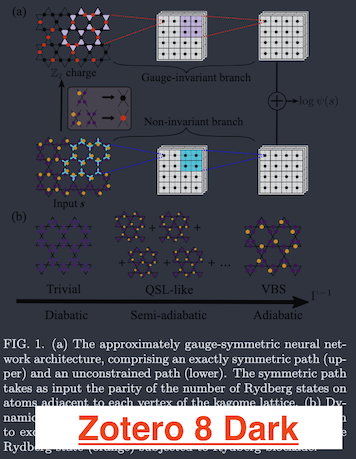
Also, here is the current "dark" theme on Zotero 8, and my attempt at a custom theme.
https://s3.amazonaws.com/zotero.org/images/forums/u9480403/mp1gxg5kta9g7yq8ohda.png
https://s3.amazonaws.com/zotero.org/images/forums/u9480403/w4p1cq5k9hczkppnkfld.png
https://s3.amazonaws.com/zotero.org/images/forums/u9480403/5p1gljftt36mxav3spdj.png
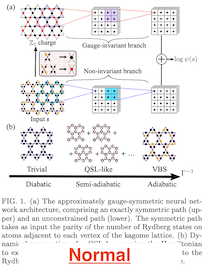
https://s3.amazonaws.com/zotero.org/images/forums/u9480403/hue5jptgljace5yn27bw.png
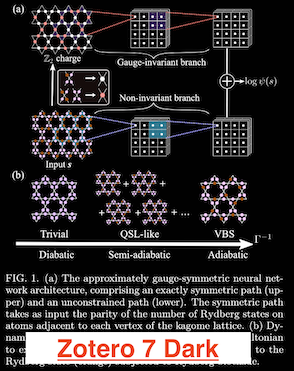
Also, here is the current "dark" theme on Zotero 8, and my attempt at a custom theme.
https://s3.amazonaws.com/zotero.org/images/forums/u9480403/mp1gxg5kta9g7yq8ohda.png
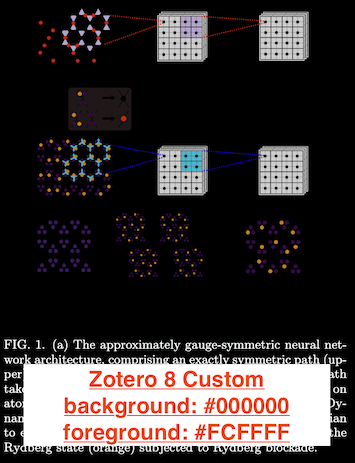
https://s3.amazonaws.com/zotero.org/images/forums/u9480403/w4p1cq5k9hczkppnkfld.png
Are you trying to recreate the previous white-on-black dark mode exactly or just the images?
I would be fine with a toggle to invert images, but I would also like to be able to have the v7 mode as a whole.
I tried so many PDF apps without success and was at the point of building a web app to invert all my pdfs and texts (and embedded images) to use them in regular software (which would be a nightmare for file management). I was ecstatic when I realized Zotero did this for me natively since I already had been using it on all my devices but hadn’t realized dark mode had been added in Zotero v7.