
 Upgrade Storage
New to Zotero - trying to fix problems with files being moved to new location
I moved to Zotero from Jabref and Mendeley to try to get my pdf article library cleaned up, which I have stored in a Dropbox folder. I was able to get metadata updated to much of my library and set file renaming based on metadata, but in that process Zotero moved all my articles off of Dropbox and put them on my local machine so now I have no backup, and the folder it moved them to is just a mess of 8-character codes that have pdf files embedded in them, which clutters up the library even further by adding additional layer of folders. The file names seem to be partially updated, though it's handling multi-author articles inconsistently, sometimes listing each author and other times listing several of them.
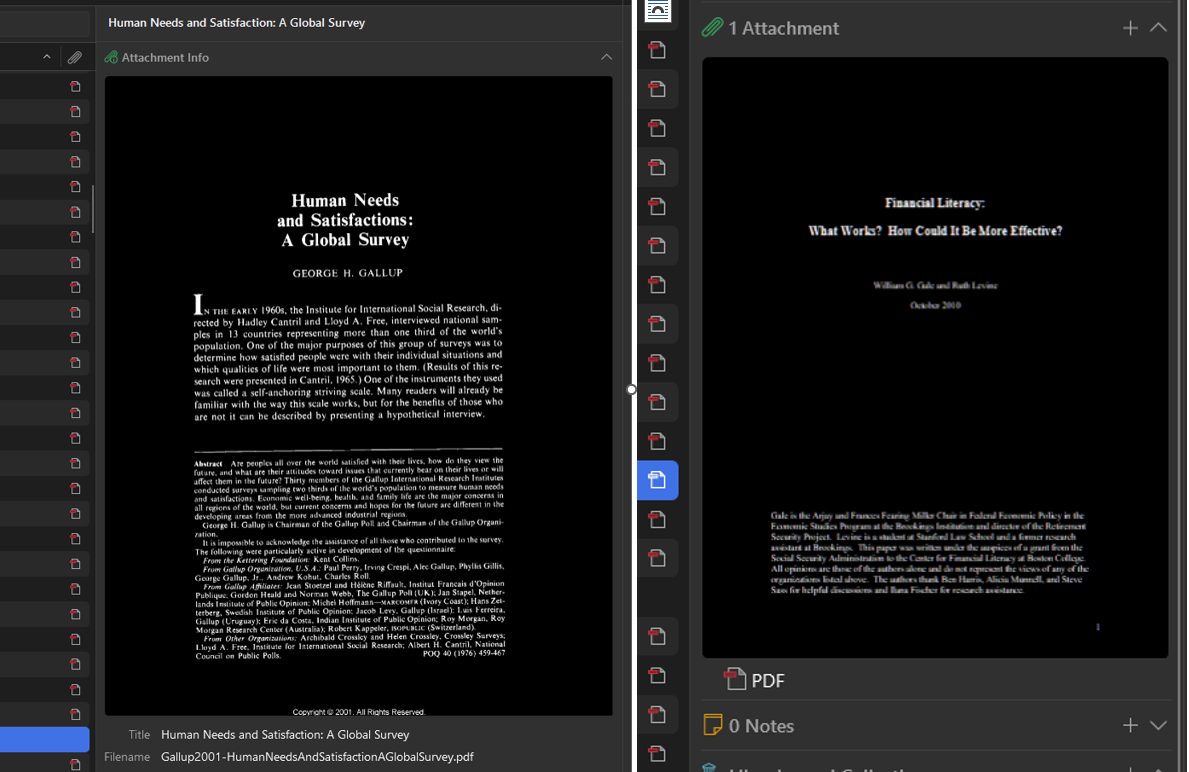
I am also unable to identify the specific files being used by Zotero for any given reference, because I can't see a file path, file name or a link to the pdf location. The multi-layer folder structure makes this more difficult since none of the subfolders in the storage folder aren't named clearly for search either. EDIT - I located the fields that show the filename, but only on some listings. All show a preview of the pdf, some of them listing the file name below the preview, but for some reason certain listings only show a link 'PDF' which opens a new tab of the file, and the filename is not viewable there either. here's side by side of the two conditions I'm seeing.
https://s3.amazonaws.com/zotero.org/images/forums/u19316221/cqlt7w92vj6tj40zswc4.png
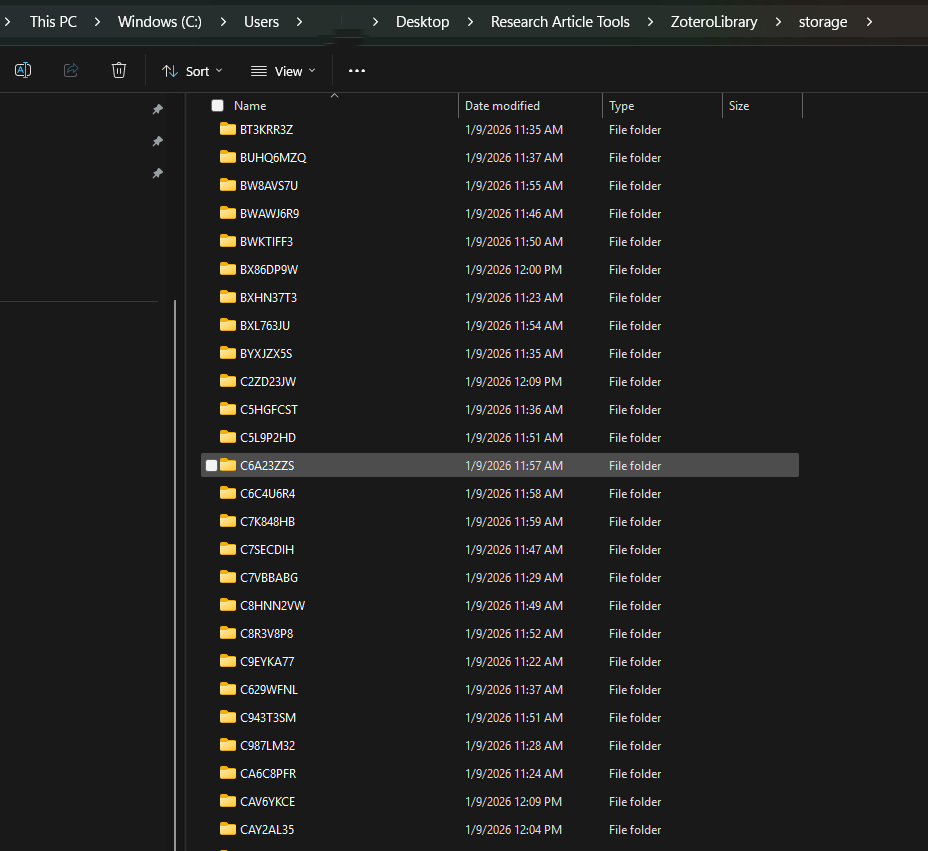
Here's what I see in the Zotero storage folder. Each of these subfolders contains one pdf and a file called .zotero-ft-cache.
https://s3.amazonaws.com/zotero.org/images/forums/u19316221/z1nplyu067rwxp9g18p0.png
The result I'm looking for is a library with a single folder of pdf files, named based on the metadata. So I want to maintain my dropbox repo as a backup, with Zotero importing by copying to the local machine while preserving the original in its dropbox location. Given the current state of my library, this means I need a way to export all the pdf files back into my dropbox folder, and do so without all the extra subfolders added by zotero. I want to be able to view the specific path of the file shown when viewing a reference in Zotero, and if possible have a quick link to access it directly.
Can you please help me configure zotero to make that work? (or at very least, remove the extra layer of folders for easier searching?)
I am also unable to identify the specific files being used by Zotero for any given reference, because I can't see a file path, file name or a link to the pdf location. The multi-layer folder structure makes this more difficult since none of the subfolders in the storage folder aren't named clearly for search either. EDIT - I located the fields that show the filename, but only on some listings. All show a preview of the pdf, some of them listing the file name below the preview, but for some reason certain listings only show a link 'PDF' which opens a new tab of the file, and the filename is not viewable there either. here's side by side of the two conditions I'm seeing.
https://s3.amazonaws.com/zotero.org/images/forums/u19316221/cqlt7w92vj6tj40zswc4.png
Here's what I see in the Zotero storage folder. Each of these subfolders contains one pdf and a file called .zotero-ft-cache.
https://s3.amazonaws.com/zotero.org/images/forums/u19316221/z1nplyu067rwxp9g18p0.png
The result I'm looking for is a library with a single folder of pdf files, named based on the metadata. So I want to maintain my dropbox repo as a backup, with Zotero importing by copying to the local machine while preserving the original in its dropbox location. Given the current state of my library, this means I need a way to export all the pdf files back into my dropbox folder, and do so without all the extra subfolders added by zotero. I want to be able to view the specific path of the file shown when viewing a reference in Zotero, and if possible have a quick link to access it directly.
Can you please help me configure zotero to make that work? (or at very least, remove the extra layer of folders for easier searching?)
It's possible to keep a library of linked files in Dropbox and use a plugin (like ZotMoov) to move any new file there, _or_ it's possible to have Zotero manage its own library of attached files (and use Zotero File Storage or a WebDAV server for backup/file sync) but I don't believe there's an option to do both at the same time.
Zotero's default is "stored" files, in the arbitrarily-named folders under Zotero\storage you've seen. The alternative, "linked" files, would allow your files to remain in Dropbox (in a single folder if you wish), but with limitations - linked files don't work with Groups, the web library, or the mobile apps. But you can still use linked files in your personal library on different *computers* (Zotero syncs your data, Dropbox syncs your linked files).
https://www.zotero.org/support/attaching_files#stored_files_and_linked_files
If your concern is backup, you could just backup the Zotero data folder (of stored files) to Dropbox regularly. There are apps that will just copy the files that have changed in the data folder since the last copy (eg FreeFileSync).
https://www.zotero.org/support/zotero_data#backing_up_your_zotero_data
(You should never store your *working* data folder in a cloud folder like Dropbox.)
https://www.zotero.org/support/kb/data_directory_in_cloud_storage_folder
But if you need to access your files outside Zotero regularly, you might decide to go with linked files (and you can live with their limitations). Note that you can always right-click Show File to see any (stored or linked) PDF in your OS's file manager.
There are different ways to add files as stored or linked. People often use a plugin to help manage linked files (Zotmoov or Attanger).
https://www.zotero.org/support/attaching_files#adding_files
If you have a lot of PDFs to bring into Zotero from an external folder, there is this plugin (albeit its compatibility with Zotero 8 is still in progress).
https://github.com/retorquere/zotero-folder-import
https://github.com/retorquere/zotero-folder-import/issues/47
Note that Zotero collections are more like playlists than OS folders ...
https://www.zotero.org/support/collections_and_tags#the_zotero_collections_model
Files have both a title (eg "PDF") and a filename.
https://www.zotero.org/support/kb/attachment_title_vs_filename
Zotero is typically set to rename added files according to the rules you have in place.
https://www.zotero.org/support/file_renaming