
 Upgrade Storage
Zetero not working properly
Hi guys,
My Zotero updated an hour or so ago and it doesn't work anymore.
I get "this document can't be updated" error whatever I try to do.
I was just about to export my PhD thesis bibliography when it crashed.
Tell me it's an update issue and that it will be resolved.
https://s3.amazonaws.com/zotero.org/images/forums/u16328554/gjebq5hdz5hn5vf08yg7.jpg
My Zotero updated an hour or so ago and it doesn't work anymore.
I get "this document can't be updated" error whatever I try to do.
I was just about to export my PhD thesis bibliography when it crashed.
Tell me it's an update issue and that it will be resolved.
https://s3.amazonaws.com/zotero.org/images/forums/u16328554/gjebq5hdz5hn5vf08yg7.jpg
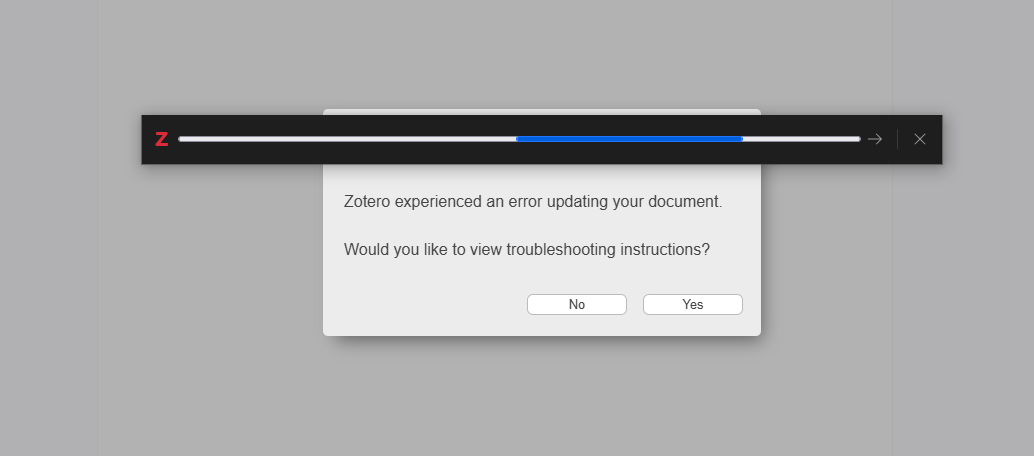
I use Zotero in Google docs.
It worked completely fine today before it installed the updates.
(I got Zotero 8 after the update.)
Since then I get this error whatever I try to do cite, add bibliography ,etc.
https://s3.amazonaws.com/zotero.org/images/forums/u16328554/zphkk0bmqdn335s4b7w6.jpg
Does it have to be the specific document or can I send any ?
(I really should not be ending my thesis anywhere.)
Because I already tried to isolate the problematic part and it didn't fix it.
I even tried it in a new document in both Docs and Word.
Does it happen if you choose a different citation style?
Can you provide a Debug ID (different from a Report ID) for Zotero startup through reproducing this, using the "Restart with Logging Enabled…" option?
Yes, I can.:D
D1992182017
Thank you so much!