
zotero in google docs - solid red citation bar appears

i am working on a google doc. i need zotero for citations. i have used safari and firefox with the latest connector properly installed. i have also allowed the safari zotero extension access to google docs. however, when i click on the Z symbol or the Zotero button in the toolbar, all that happens is zotero popping up with a solid red bar in front of it. i can't enter my citation or anything else. this has happened in two browers now. in the document, it sometimes says "updating" but sometimes also not. i'd appreciate help in setting this up so that it actually works!

https://s3.amazonaws.com/zotero.org/images/forums/u9055717/buonfonbnmvvel351n0d.png
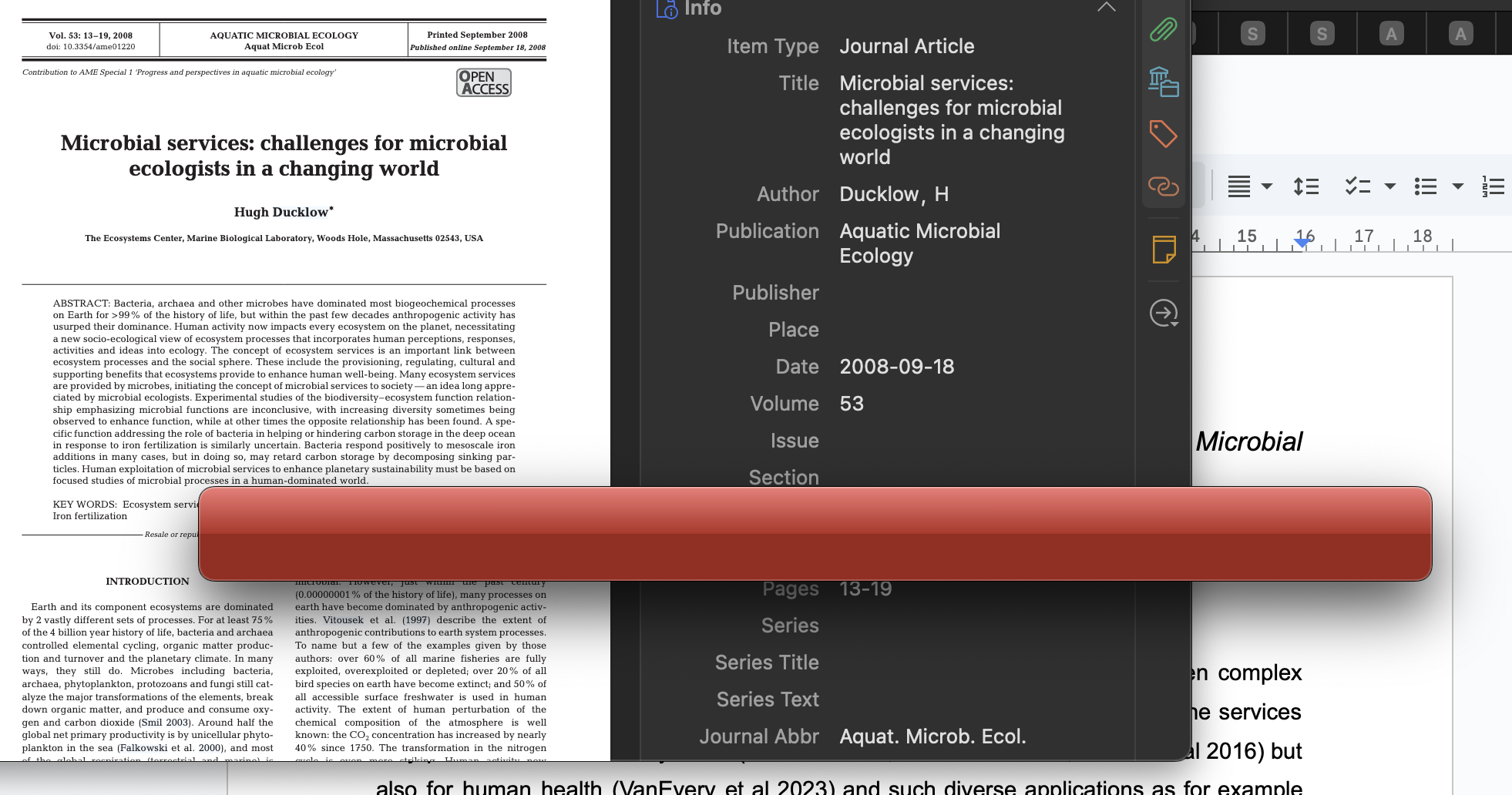
  • adomasven Zotero Team
    Does it work with the Zotero Beta?
  • Often this happens to me - the actual citation field entry 'popup' opens behind other windows - I use Win+Tab or Cmd/Tab to see the citation input window - click that and it then seems to work after the first iteation of getting lost behind other stuff
  • thanks. i have not used the beta version, will try tomorrow. the other trick doesn't work. the red bar does pop up but there is nowhere to start writing the citation. i have tried it in safari and firefox, and it is just the same. i am grateful for all ideas!
  • The solid red bar is, as I understand it, is a color backer to make the text field entry look more appealing. The text entry window is a narrow "window" separate from that bar and it sits on top when working normally. I'll try and jump on my computer later to replicate what I'm talking about.
  • dstillman Zotero Team
    edited 8 days ago
    Yes, make sure the document preferences window isn't just appearing behind your other windows. (The window belongs to the Zotero app, not your browser.) That's the most likely thing here.

    If you're sure it's not that, try the beta.
  • sounds curious. i don't get a document preferences window anywhere. the only thing i get is the red bar (label "Progress" for whatever reason in dash overview). i will try beta tomorrow. thank you all!
  • so, i changed to the beta version but things are worse. if i click the Z symbol nothing at all happens, and if i click the zotero button where the dropdown menu should appear the same: nothing. no red bar. no document preferences window. just pure nothing. (i have looked "behind" the other windows: there's nothing hiding there either.)

    any other good ideas?
  • adomasven Zotero Team
    Did you try restarting your computer? Could you provide a Report ID?
  • sorry, i was busy with other things. i have restarted the laptop multiple times. i don't know what happened but know when i click the zotero symbols the following error message appears.

    https://s3.amazonaws.com/zotero.org/images/forums/u9055717/4mxn7cuhnm5nt4ec1cv7.png

    it is all to bothersome, i will have to try something else.
  • dstillman Zotero Team
    edited 3 days ago
    We're happy to help, but you'd have to work with us and provide what we ask for.

    Can you provide a Debug ID for Zotero startup through the first attempt to click Add/Edit Citation, using the "Restart with Logging Enabled…" option?
  • thank you. if i follow the instructions and right click on the google docs page in the top (not the document itself) the menu appears and i can click "zotero preferences". however, nothing happens then - so i am not able to provide the Debug ID, i am sorry. happy to try other approaches.
  • Generally, what you're describing and your screenshot indicates that Zotero citation dialog or preferences page is appearing behind other windows. You can click or right-click the Zotero icon in your launcher or start menu bar, depending on which OS you are on, and look through open Zotero windows to find it.

    Otherwise, you need to follow the instructions for Debug ID that Dan posted above in Zotero, not your browser.
Sign In or Register to comment.