
Some PDF files are not opening in my tablet but they do in my computer


https://s3.amazonaws.com/zotero.org/images/forums/u18102549/y5qvb16cuuy0ly1ijufe.jpg
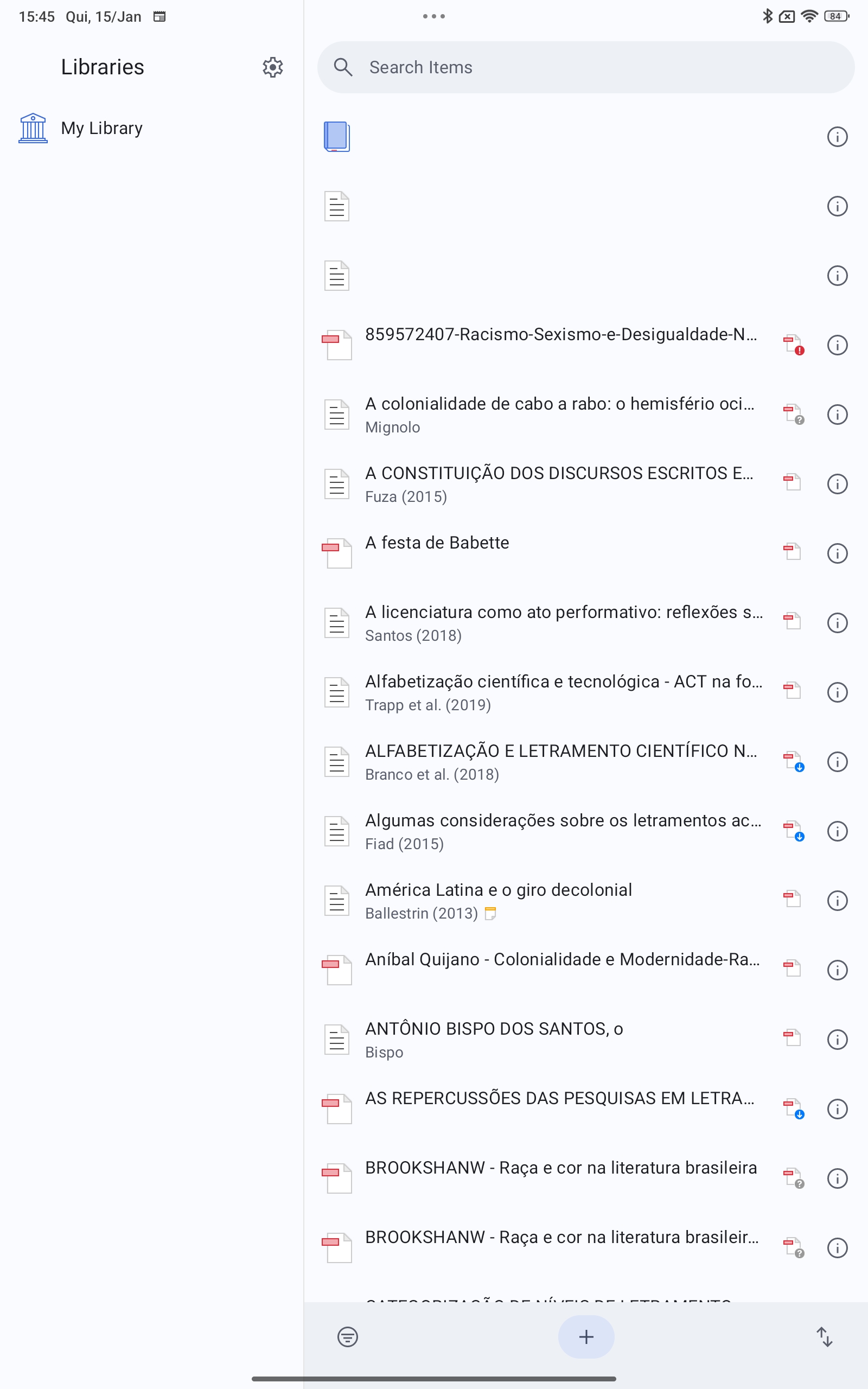
You can see in the attachment that some files have an exclamation Mark besides the logo of the PDF. I am unable to pensando them.
  • See Files Not Syncing. You're just at your Zotero Storage quota.
  • I have just checked my storage, and I still have enough space; however, some PDFs are not indexed for some reason, and these are the ones that are not opening on the tablet. Nothing happens when I try to reindex the file.

  • dstillman Zotero Team
    edited January 17, 2026
    You deleted files, so you’ll now need to sync the device where the files exist, as explained on the page I linked to. If you continue to have trouble, provide the info requested on that page.

    This has nothing to do with “indexing”.
Sign In or Register to comment.