
 Upgrade Storage
add note option sometimes not available - workaround available but annoying
Occasionally clicking on the note tab will bring up a blank field, with the name of a different paper at the top.
https://s3.amazonaws.com/zotero.org/images/forums/u1378217/yqd4ojov1jfz19fy1x6j.png
In this screenshot you can see that the name of the paper I am looking at and the name at the top are different.
This can be fixed by clicking on different documents and then clicking back on the document of interest. Here's what the screen looks like now after, in this case, only clicking on the next open document to the left of the current one. I'll note this example already had a note but it seems to occur regardless of whether a note exists or not. I also closed the document relating to the previously edited note (not sure how consistent that is). Is this some sort of race condition? This has been happening for years and it is manageable but I figured I'd mention it in case you want to fix it! Thanks.
https://s3.amazonaws.com/zotero.org/images/forums/u1378217/raef0f081ptpo47cu7hh.png
https://s3.amazonaws.com/zotero.org/images/forums/u1378217/yqd4ojov1jfz19fy1x6j.png
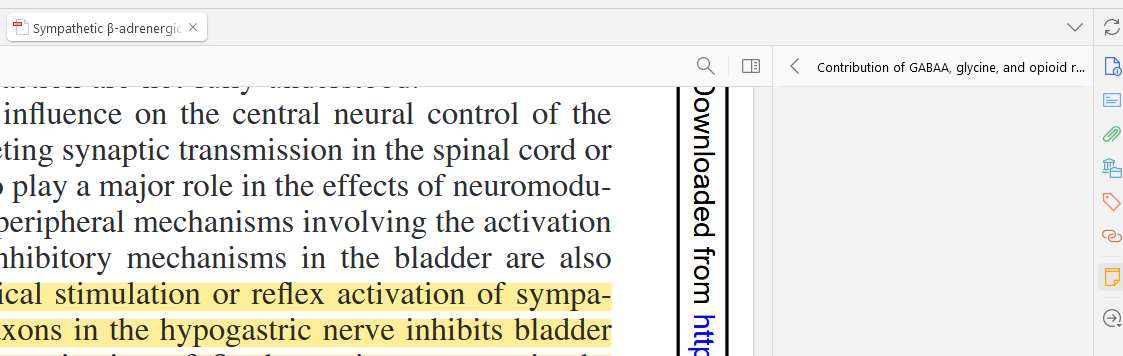
In this screenshot you can see that the name of the paper I am looking at and the name at the top are different.
This can be fixed by clicking on different documents and then clicking back on the document of interest. Here's what the screen looks like now after, in this case, only clicking on the next open document to the left of the current one. I'll note this example already had a note but it seems to occur regardless of whether a note exists or not. I also closed the document relating to the previously edited note (not sure how consistent that is). Is this some sort of race condition? This has been happening for years and it is manageable but I figured I'd mention it in case you want to fix it! Thanks.
https://s3.amazonaws.com/zotero.org/images/forums/u1378217/raef0f081ptpo47cu7hh.png
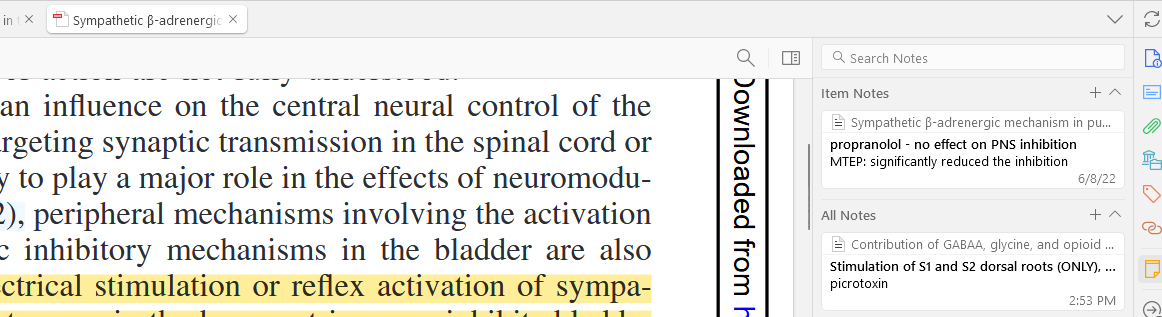
D1821691955
To get it to happen this time I did make a note in a document, go back to the main view (article info, right panel), close the document, go to another open document that did not have a note, and switch to the notes view. When doing that I got the same type of bug that is shown in the first image above.