
 Upgrade Storage
ScienceDirect PDF "saving failed" to Zotero on Firefox (but works on Chrome)
Hi, I'm running into a problem saving ScienceDirect PDF articles to Zotero via the connector specifically on Firefox.
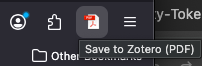
I click View PDF in an article page which opens on a separate tab on Firefox with Firefox's default PDF viewer. Here, the connector shows a PDF icon to save to Zotero as expected:
https://s3.amazonaws.com/zotero.org/images/forums/u9490167/8vtbd3pvbbwtrf943y61.png
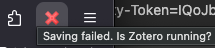
However, when I click it to save, the icon turns into a red X and doesn't save the PDF. Hovering on the icon shows this message: "Saving Failed. Is Zotero Running?" (which it is running)
https://s3.amazonaws.com/zotero.org/images/forums/u9490167/05e9whafg65il2g1kt8z.png
This is happening with PDFs of multiple articles specifically on ScienceDirect on Firefox. Trying to save the same on Chrome works as expected for some reason, though. Saving other article PDFs through other platforms like APA Psycnet or PlosOne on Firefox is working completely normally too.
The error report text for one such instance is this:
[JavaScript Error: "Method saveSnapshot failed
@moz-extension://3919bb94-c5f2-4499-8e00-0fbf0991beff/connector.js:339:49
"]
The debug ID for when trying this with one article is D1081072594. Copying the (extremely long) link to the article PDF at the bottom. I suspect the issue has something to do with the long contents in the link, but I can't figure out why it would work on Chrome but not Firefox.
Thank you so much for any help or advice on this issue, I really appreciate it! Happy to provide other details if needed!
PDF link:
https://pdf.sciencedirectassets.com/271061/1-s2.0-S0010027720X00126/1-s2.0-S0010027720303632/main.pdf?X-Amz-Security-Token=IQoJb3JpZ2luX2VjEML//////////wEaCXVzLWVhc3QtMSJGMEQCICE58YRnSrPaqfClMfeKOj0noZbCx9H59/unBcG95wJIAiAX+OZz6Sr0g6k/o052sFhL1kmLbaVAoJ0VxzwDTGeURiq7BQiL//////////8BEAUaDDA1OTAwMzU0Njg2NSIM3U36HqCJ8Qe4Wye9Ko8Fi3pE2IpZWT15KORNYIg5lYDSSCg3O3S2o+B9ZYws77Yo1T59KLa8u903185A1MGf3jDqpTEyUN/iezNO38qoiLMzRk8zKyfkMI36dOn1R6mLUpyUkPfQI+vkLeb6wDZ+0WUvno/OGbyZ8DJ7jv1MDMnQ/7si8ZMFIX+TglJexbkvZGBYL+4jEgKKdWVGcAGYRelaPKAmAJzZ3vGTlIAyD3FxumxVW9knv+sh+GaUiEbCn4BTTZlbP2FVKOyCN3uiKsEi1FddZg1Fu3ZcJp9IMmVwfRr7folaw8NfTIJ9h5xLN9xX6s6XAUrcsUUeBBhjHQF9MT87NmkeikMKHFExlpEgCyv/MQ2eV3bceldToTfvwRPg/nrB6w69wJ1SyaoZcEhxg592J52s9OHiaVJg9yy7shvGJgOnqavnslf43vhxfkY3F91fVmJx0iVyp5+sZW9+RpFwLgG5NNcBzPNL+x4f9jCwpC5G0I/w97O29MSeU88v+NKwBGfAMJBeftHr8sGyxFvAKfY1A553n9wh9yxCuTY2OJPsoSTmX3kegrSOsf7EX+yLdF1XUM5x8jpbzm48THDAtJAyaxvdX3U/8HxFqW6DlpxQw4CVNjGC53VSJttxikxiRHIdw75ZMFiyGwl0B6w58aSP/JFB0mXD2Dl5SjGCB2TYgjDXKF/meMiecEyZFJKO+zIHLlZ4EVZltQ75lUVVVGD9AzK3pUh1eFnEWche3Y81Po/uIdcjZ1+ufu46nFtmB5bJJcgjmp2/rAcudBeloVhHNb45o91zEYnSjYDvIOaGfoY7KaABp51VcLYwxo7etfGFqiRYYwWPrT6NsadGylABgysKSmY8RaxU7+mG5xxyictB7P8ycDDLgZ3JBjqyAeQC2MnWhxwl0t6IgmOZvY7xLpPZ7inT34dYPEAlDmn00idSqsaGoOA+ilQ7qmDqf5oQKCSc4Zfmk5TLagPk3rZ7oZZLoPide7eWQo00aHJdagYWE+MU5epGyx+n4ldE4gaurbG0yHBmJg1d4S+lPhX/YVyWiVhFW/KiTK/qHrtkzxNvBGA9qSDbq16V0jZuVW/bFUjDPkGH0uXAuDe3oxS0FtKbcK/mFNKxxcmfAOD4fd4=&X-Amz-Algorithm=AWS4-HMAC-SHA256&X-Amz-Date=20251126T183050Z&X-Amz-SignedHeaders=host&X-Amz-Expires=300&X-Amz-Credential=ASIAQ3PHCVTYXODP2JHW/20251126/us-east-1/s3/aws4_request&X-Amz-Signature=0dffbfc14ba767af8a7d2cb71f178240486986e14975f07689e83111913420d6&hash=a7c46f7e6c7562d43dffdc00898cfd17e5adc97d82c1dda6b952dfc0ca52f02a&host=68042c943591013ac2b2430a89b270f6af2c76d8dfd086a07176afe7c76c2c61&pii=S0010027720303632&tid=spdf-5ac19d43-7240-431f-932b-01085266554a&sid=ddfcd2db9e1e5049096bb0f2467060985ba1gxrqa&type=client&tsoh=d3d3LnNjaWVuY2VkaXJlY3QuY29t&rh=d3d3LnNjaWVuY2VkaXJlY3QuY29t&ua=0f155902540553575c5507&rr=9a4b7593f9447539&cc=us
I click View PDF in an article page which opens on a separate tab on Firefox with Firefox's default PDF viewer. Here, the connector shows a PDF icon to save to Zotero as expected:
https://s3.amazonaws.com/zotero.org/images/forums/u9490167/8vtbd3pvbbwtrf943y61.png
However, when I click it to save, the icon turns into a red X and doesn't save the PDF. Hovering on the icon shows this message: "Saving Failed. Is Zotero Running?" (which it is running)
https://s3.amazonaws.com/zotero.org/images/forums/u9490167/05e9whafg65il2g1kt8z.png
This is happening with PDFs of multiple articles specifically on ScienceDirect on Firefox. Trying to save the same on Chrome works as expected for some reason, though. Saving other article PDFs through other platforms like APA Psycnet or PlosOne on Firefox is working completely normally too.
The error report text for one such instance is this:
[JavaScript Error: "Method saveSnapshot failed
@moz-extension://3919bb94-c5f2-4499-8e00-0fbf0991beff/connector.js:339:49
"]
The debug ID for when trying this with one article is D1081072594. Copying the (extremely long) link to the article PDF at the bottom. I suspect the issue has something to do with the long contents in the link, but I can't figure out why it would work on Chrome but not Firefox.
Thank you so much for any help or advice on this issue, I really appreciate it! Happy to provide other details if needed!
PDF link:
https://pdf.sciencedirectassets.com/271061/1-s2.0-S0010027720X00126/1-s2.0-S0010027720303632/main.pdf?X-Amz-Security-Token=IQoJb3JpZ2luX2VjEML//////////wEaCXVzLWVhc3QtMSJGMEQCICE58YRnSrPaqfClMfeKOj0noZbCx9H59/unBcG95wJIAiAX+OZz6Sr0g6k/o052sFhL1kmLbaVAoJ0VxzwDTGeURiq7BQiL//////////8BEAUaDDA1OTAwMzU0Njg2NSIM3U36HqCJ8Qe4Wye9Ko8Fi3pE2IpZWT15KORNYIg5lYDSSCg3O3S2o+B9ZYws77Yo1T59KLa8u903185A1MGf3jDqpTEyUN/iezNO38qoiLMzRk8zKyfkMI36dOn1R6mLUpyUkPfQI+vkLeb6wDZ+0WUvno/OGbyZ8DJ7jv1MDMnQ/7si8ZMFIX+TglJexbkvZGBYL+4jEgKKdWVGcAGYRelaPKAmAJzZ3vGTlIAyD3FxumxVW9knv+sh+GaUiEbCn4BTTZlbP2FVKOyCN3uiKsEi1FddZg1Fu3ZcJp9IMmVwfRr7folaw8NfTIJ9h5xLN9xX6s6XAUrcsUUeBBhjHQF9MT87NmkeikMKHFExlpEgCyv/MQ2eV3bceldToTfvwRPg/nrB6w69wJ1SyaoZcEhxg592J52s9OHiaVJg9yy7shvGJgOnqavnslf43vhxfkY3F91fVmJx0iVyp5+sZW9+RpFwLgG5NNcBzPNL+x4f9jCwpC5G0I/w97O29MSeU88v+NKwBGfAMJBeftHr8sGyxFvAKfY1A553n9wh9yxCuTY2OJPsoSTmX3kegrSOsf7EX+yLdF1XUM5x8jpbzm48THDAtJAyaxvdX3U/8HxFqW6DlpxQw4CVNjGC53VSJttxikxiRHIdw75ZMFiyGwl0B6w58aSP/JFB0mXD2Dl5SjGCB2TYgjDXKF/meMiecEyZFJKO+zIHLlZ4EVZltQ75lUVVVGD9AzK3pUh1eFnEWche3Y81Po/uIdcjZ1+ufu46nFtmB5bJJcgjmp2/rAcudBeloVhHNb45o91zEYnSjYDvIOaGfoY7KaABp51VcLYwxo7etfGFqiRYYwWPrT6NsadGylABgysKSmY8RaxU7+mG5xxyictB7P8ycDDLgZ3JBjqyAeQC2MnWhxwl0t6IgmOZvY7xLpPZ7inT34dYPEAlDmn00idSqsaGoOA+ilQ7qmDqf5oQKCSc4Zfmk5TLagPk3rZ7oZZLoPide7eWQo00aHJdagYWE+MU5epGyx+n4ldE4gaurbG0yHBmJg1d4S+lPhX/YVyWiVhFW/KiTK/qHrtkzxNvBGA9qSDbq16V0jZuVW/bFUjDPkGH0uXAuDe3oxS0FtKbcK/mFNKxxcmfAOD4fd4=&X-Amz-Algorithm=AWS4-HMAC-SHA256&X-Amz-Date=20251126T183050Z&X-Amz-SignedHeaders=host&X-Amz-Expires=300&X-Amz-Credential=ASIAQ3PHCVTYXODP2JHW/20251126/us-east-1/s3/aws4_request&X-Amz-Signature=0dffbfc14ba767af8a7d2cb71f178240486986e14975f07689e83111913420d6&hash=a7c46f7e6c7562d43dffdc00898cfd17e5adc97d82c1dda6b952dfc0ca52f02a&host=68042c943591013ac2b2430a89b270f6af2c76d8dfd086a07176afe7c76c2c61&pii=S0010027720303632&tid=spdf-5ac19d43-7240-431f-932b-01085266554a&sid=ddfcd2db9e1e5049096bb0f2467060985ba1gxrqa&type=client&tsoh=d3d3LnNjaWVuY2VkaXJlY3QuY29t&rh=d3d3LnNjaWVuY2VkaXJlY3QuY29t&ua=0f155902540553575c5507&rr=9a4b7593f9447539&cc=us
https://s3.amazonaws.com/zotero.org/images/forums/u9490167/l5erviho9q7h3f4ebdb8.png
When I check in the Zotero app, it does indeed only show the snapshot. This is mainly the reason why I went to the PDF page to try saving it that way instead of the main article page. Do you know what might be going on?
Thank you again for your help and happy to provide any other info! Happy weekend!
https://s3.amazonaws.com/zotero.org/images/forums/u9490167/u0ue8jdvrda3ibof6t8x.png
I saw in a separate discussion thread that for saving ScienceDirect articles, there can be captcha a popup in the Zotero app. In trying to do the above, the only thing that popped up was this empty Firefox window, which disappeared after a bit, leading to the red X next to saving PDF. There was no popup on the Zotero app.
https://s3.amazonaws.com/zotero.org/images/forums/u9490167/hub8jv42m7r5j9ylic1b.png
I tried reinstalling the connector to ensure that it is updated and am having the same popup issue. Thank you again!