
 Upgrade Storage
YouTube tutorial "How to Sync Zotero Across Computers for Free (Unlimited Storage)"
Dear all,
I was following the youtube tutorial "How to Sync Zotero Across Computers for Free (Unlimited Storage)" (https://www.youtube.com/watch?v=ZAXV-z57rzo) by Federico Tatarini to move all my already uploaded files from my Zotero to iCloud.
I use a MacBook and iPhone.
After I did all the steps recommended in the video I encountered several (synch) problems which I could not solve yet. Also not with the help of Federico who assumes that this looks like a classic conflict between the Zotmoov transfer process and macOS's iCloud storage management. With his permission I am sharing the issues and steps we undertook thus far.
So as demonstrated in the video,
- I installed Zotmoov
- changed the base directory setting to a new folder named ”ZoteroDB” on my iCloud
- also did so in the Zotmoov settings as well as checked the option ”automatically move/copy files when added”
I have several synch/import issues:
1) Synch mismatch:
ZoteroDB in total has 2.104 files. My Zotero library however has 3.985 files.
ZoteroDB contains 1.846 pdfs (including several "zero bytes" files). My Zotero library contains 1.802 pdfs.
2) "Zero bytes" files:
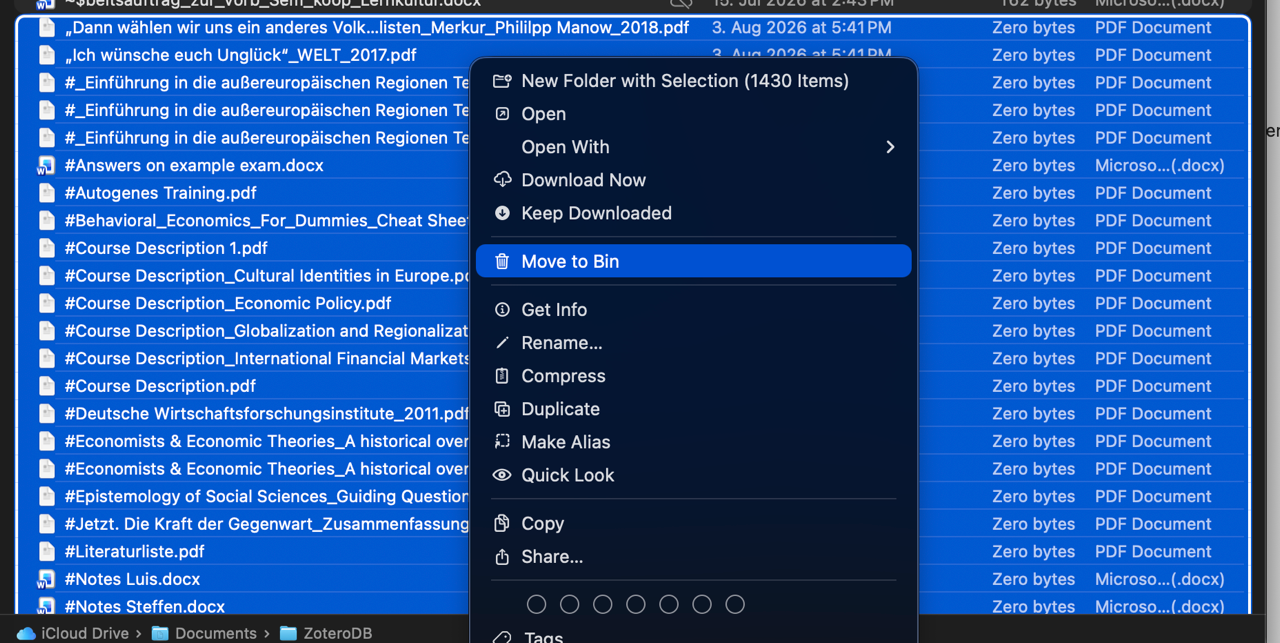
There are 1.430 files showing "Zero bytes" in the newly created "ZoteroDB" folder in iCloud which cannot be opened on my Mac, all other files showing some size info can be opened on my Mac (with Preview or any other existing application). (see picture)
I can open every file that is visible in my Zotero library.
Here Federico suggested the following:
macOS has a feature called "Optimize Mac Storage" which automatically removes local files to save space, keeping them only in the cloud. When Zotmoov tried to move thousands of files at once, iCloud likely turned many of them into empty placeholders.
-- Open Finder and navigate to your ZoteroDB folder.
-- Look for a small cloud icon next to the files or the folder itself.
-- Right-click the ZoteroDB folder (or select all the 0-byte files, right-click them) and select "Download Now". Wait for iCloud to actually download the PDFs to your Mac.
I selected all 0-byte-files and pressed „Download Now” - nothing happened. No reaction from any of those files neither from any iCloud or system pop-up. It does not show that a download had been triggered or is being executed...
3) Free storage still in use yet turned off in Zotero settings:
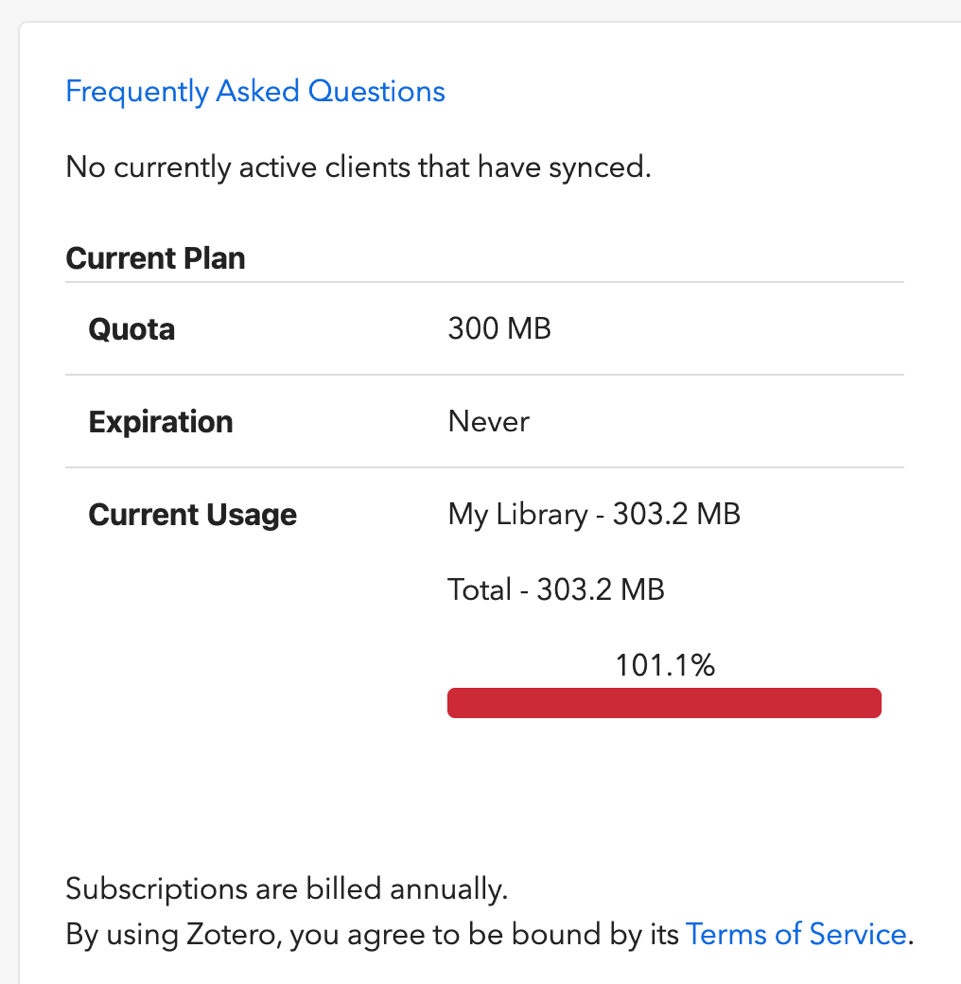
- My free storage (300 MB) is used which is shown after I logged into my Zotero web account (see picture) - I do not know how to turn this off so that Zotero solely uses iCloud.
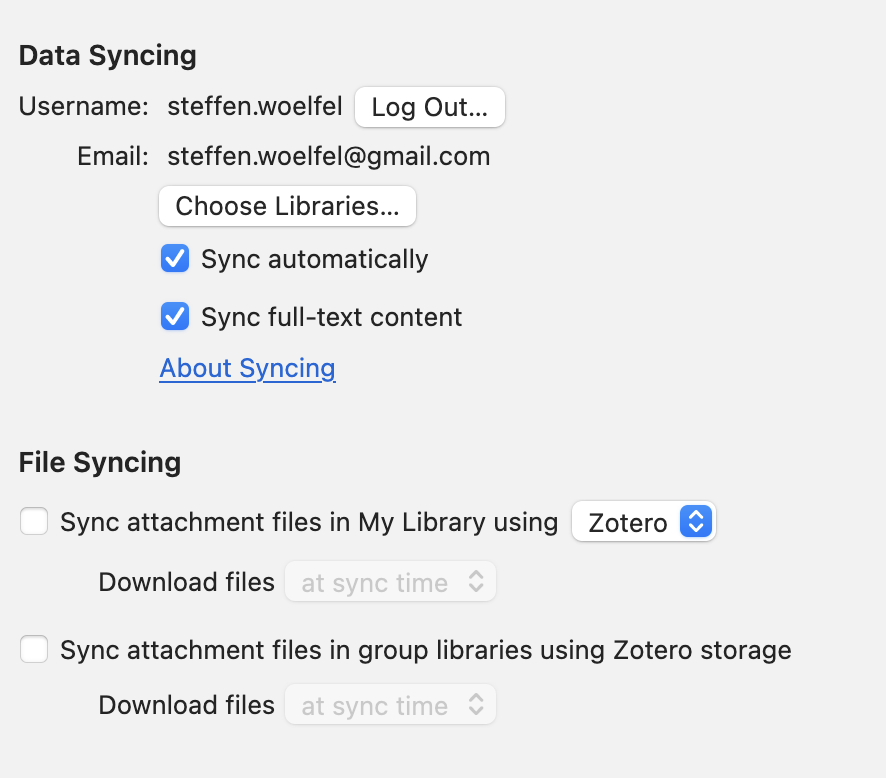
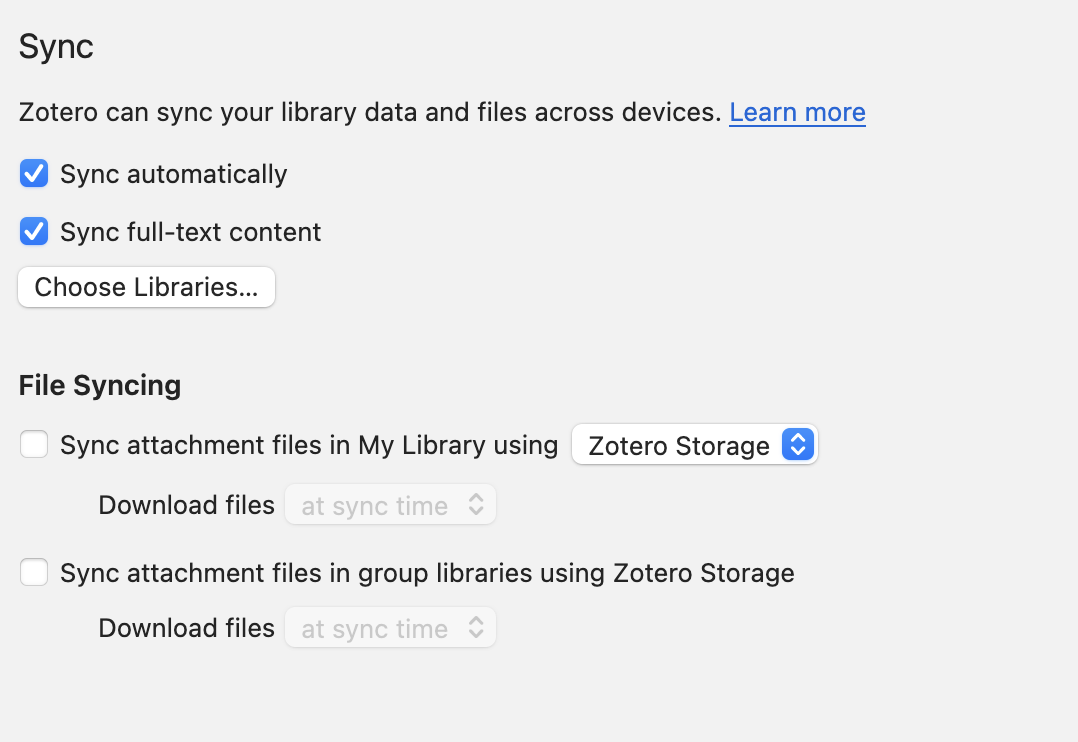
- "File synching" in Zotero settings is actually already turned off (see picture)
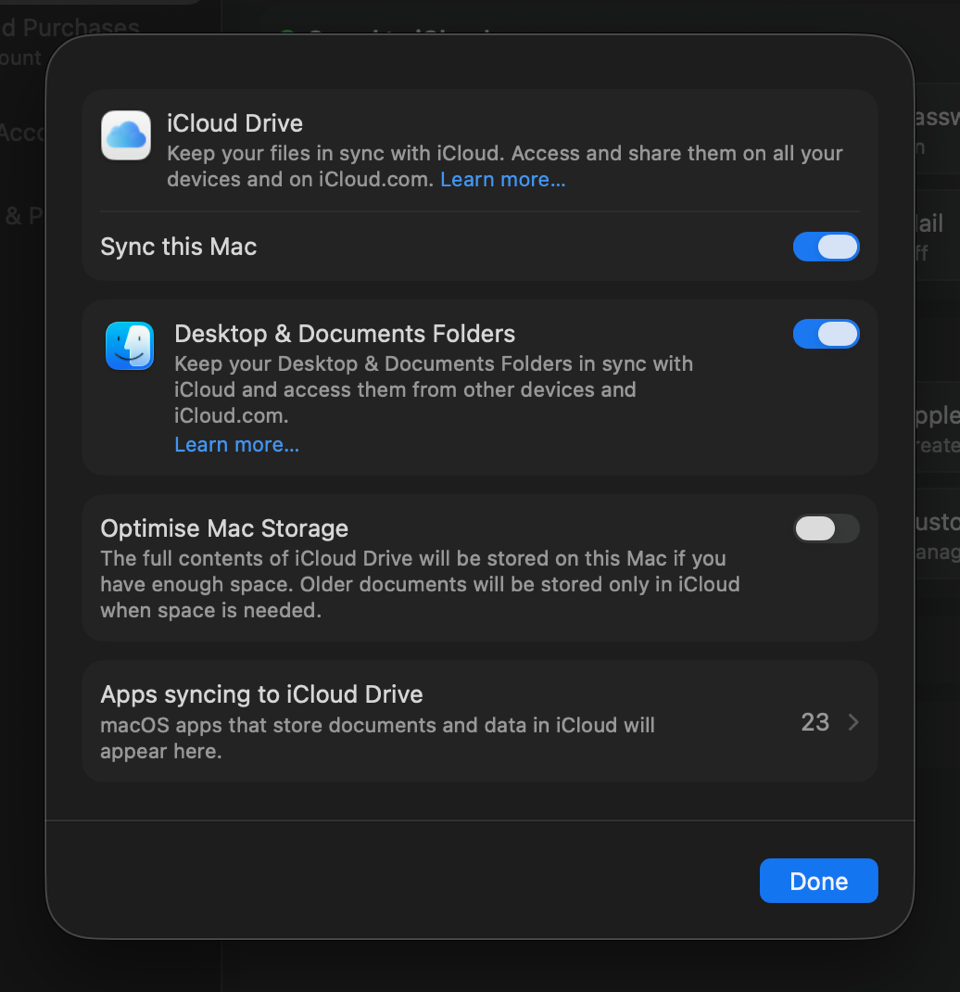
To prevent iCloud from offloading files Federico suggests to turn off "Optimise Mac Storage" in iCloud - it was already turned off.
4) I got 2 errors when I tried using Zotero on my iPhone (screenshots attached):
- "„Linked files are not supported on mobile devices. You can open them using the Zotero desktop app.”
- "The attached file is not available in the online library. Please check that the file has synched on the device where is was added."
As mentioned above I have no problem with opening any file on my Mac.
Thanks a lot for your help.
Best,
Steffen
https://s3.amazonaws.com/zotero.org/images/forums/u21013471/gnawh52cmvfw1menr65k.png
https://s3.amazonaws.com/zotero.org/images/forums/u21013471/zs864f6r4s7luhuzblkn.png
https://s3.amazonaws.com/zotero.org/images/forums/u21013471/ev1vkeoxsr07ulklv8x4.png
https://s3.amazonaws.com/zotero.org/images/forums/u21013471/56icd4k7i80agth9jy18.png
https://s3.amazonaws.com/zotero.org/images/forums/u21013471/pbc1o53723jcsqpepjtx.png
I was following the youtube tutorial "How to Sync Zotero Across Computers for Free (Unlimited Storage)" (https://www.youtube.com/watch?v=ZAXV-z57rzo) by Federico Tatarini to move all my already uploaded files from my Zotero to iCloud.
I use a MacBook and iPhone.
After I did all the steps recommended in the video I encountered several (synch) problems which I could not solve yet. Also not with the help of Federico who assumes that this looks like a classic conflict between the Zotmoov transfer process and macOS's iCloud storage management. With his permission I am sharing the issues and steps we undertook thus far.
So as demonstrated in the video,
- I installed Zotmoov
- changed the base directory setting to a new folder named ”ZoteroDB” on my iCloud
- also did so in the Zotmoov settings as well as checked the option ”automatically move/copy files when added”
I have several synch/import issues:
1) Synch mismatch:
ZoteroDB in total has 2.104 files. My Zotero library however has 3.985 files.
ZoteroDB contains 1.846 pdfs (including several "zero bytes" files). My Zotero library contains 1.802 pdfs.
2) "Zero bytes" files:
There are 1.430 files showing "Zero bytes" in the newly created "ZoteroDB" folder in iCloud which cannot be opened on my Mac, all other files showing some size info can be opened on my Mac (with Preview or any other existing application). (see picture)
I can open every file that is visible in my Zotero library.
Here Federico suggested the following:
macOS has a feature called "Optimize Mac Storage" which automatically removes local files to save space, keeping them only in the cloud. When Zotmoov tried to move thousands of files at once, iCloud likely turned many of them into empty placeholders.
-- Open Finder and navigate to your ZoteroDB folder.
-- Look for a small cloud icon next to the files or the folder itself.
-- Right-click the ZoteroDB folder (or select all the 0-byte files, right-click them) and select "Download Now". Wait for iCloud to actually download the PDFs to your Mac.
I selected all 0-byte-files and pressed „Download Now” - nothing happened. No reaction from any of those files neither from any iCloud or system pop-up. It does not show that a download had been triggered or is being executed...
3) Free storage still in use yet turned off in Zotero settings:
- My free storage (300 MB) is used which is shown after I logged into my Zotero web account (see picture) - I do not know how to turn this off so that Zotero solely uses iCloud.
- "File synching" in Zotero settings is actually already turned off (see picture)
To prevent iCloud from offloading files Federico suggests to turn off "Optimise Mac Storage" in iCloud - it was already turned off.
4) I got 2 errors when I tried using Zotero on my iPhone (screenshots attached):
- "„Linked files are not supported on mobile devices. You can open them using the Zotero desktop app.”
- "The attached file is not available in the online library. Please check that the file has synched on the device where is was added."
As mentioned above I have no problem with opening any file on my Mac.
Thanks a lot for your help.
Best,
Steffen
https://s3.amazonaws.com/zotero.org/images/forums/u21013471/gnawh52cmvfw1menr65k.png
https://s3.amazonaws.com/zotero.org/images/forums/u21013471/zs864f6r4s7luhuzblkn.png
https://s3.amazonaws.com/zotero.org/images/forums/u21013471/ev1vkeoxsr07ulklv8x4.png
https://s3.amazonaws.com/zotero.org/images/forums/u21013471/56icd4k7i80agth9jy18.png
https://s3.amazonaws.com/zotero.org/images/forums/u21013471/pbc1o53723jcsqpepjtx.png
If iCloud (or any other cloud service) doesn't leave the PDF file there - for example switches it to 'download on demand' - that can be a problem when Zotero tries to open the file and finds that it is not immediately there. So while cloud services may offer that option, to save space on your local drive, it may not always work with Zotero. There have been isolated reports of such problems.
Re #4, as noted, linked files don't work with the Zotero mobiles apps. Note the other limitations of linked files ...
https://www.zotero.org/support/attaching_files#linked_files
The only way to access linked files in the Zotero mobile apps is to first move them, on your computer, temporarily back into local Zotero storage as 'stored' files. Zotmoov's Custom Menus can help manage that transfer. But since syncing online to a mobile device requires Zotero file syncing to be ON, you must be under your online file storage quota in order for that to work (300 mb free). People often set up linked files for their PDFs, but leave web snapshots as 'stored' files; along with any images in notes, those would consume considerable online file storage quota. So deleting or switching all those files to 'linked' files may be required to get back under your online file storage quota, to make the temporary PDF transfer scheme work.
And BTW the video is wrong about having to set a Linked Attachment Base Directory (LABD). That is only necessary if you have your linked files at different parent paths on different computers. It tells Zotero where to look for linked files on each computer (but if they are in the same place on each computer, Zotero doesn't need to be told anything - the same file path to the linked file works on each computer). The LABD setting has no effect on where linked files get stored (that is determined by the Zotmoov 'Move To' folder setting). Setting a LABD when you don't need one doesn't cause any major problems - it just makes the setting up more complicated than necessary (a LABD can always be set later if it is ever really needed).
https://www.zotero.org/support/preferences/advanced#linked_attachment_base_directory