
 Upgrade Storage
Web-Based vs Desktop
Zotero is great. Thank you.
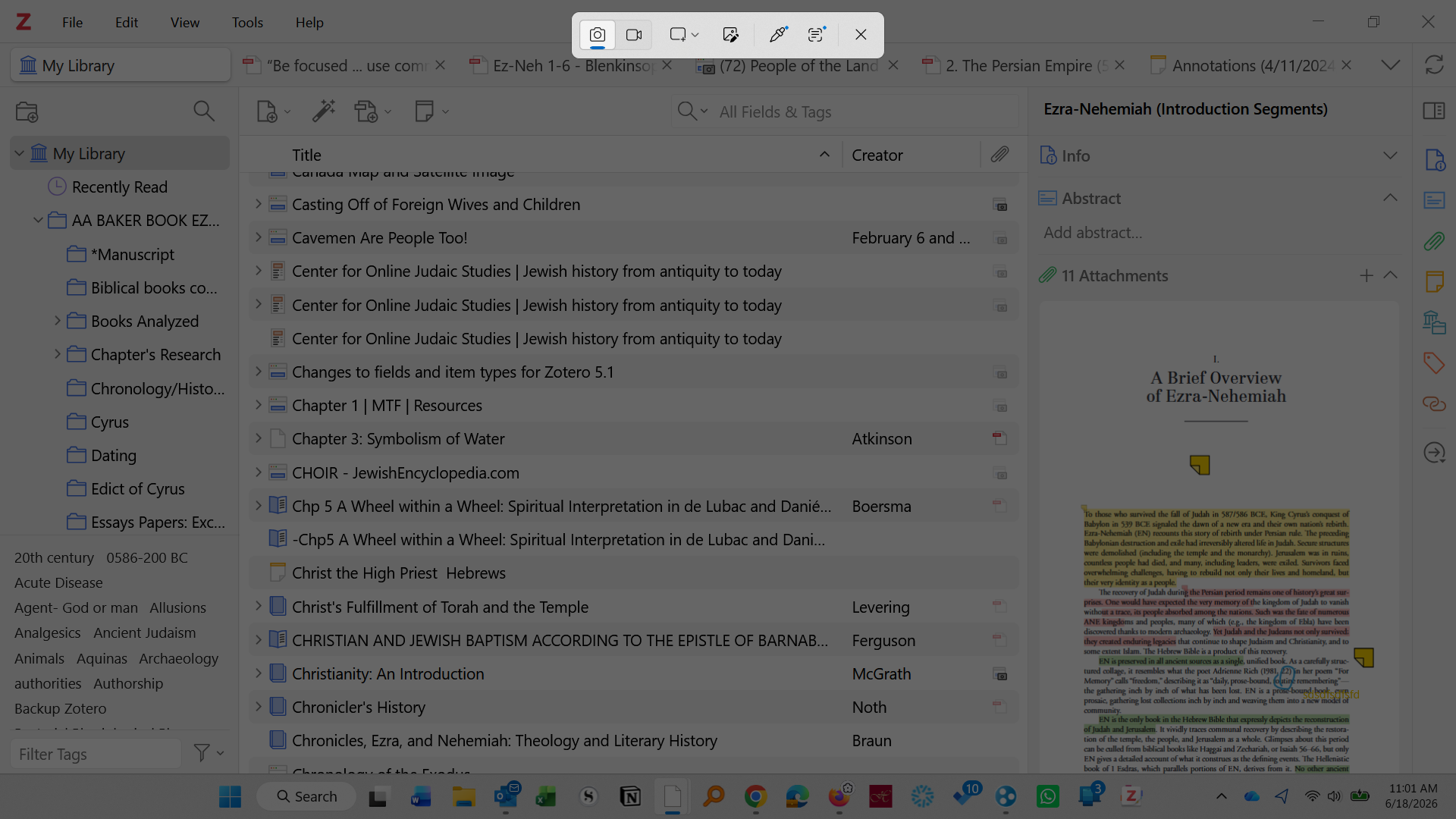
The issue I have is I want to use the Desktop version. I am way more comfortable using it.
By Desktop I mean:
https://s3.amazonaws.com/zotero.org/images/forums/u201677/y62zghu1ce0dvw88xb7e.png
As you can see, at the very top there are the options of File Edit View Tools Help.
Also, in the central panel, you can have sub-files within files and you can open each one of them from there.
My Problems:
1. For security's sake, if I lose that desktop link, how do I get the Desktop version 9 back? The web version is what always seems to come up.
2. If I have the Desktop version on my computer, can I link it to my Z drive which is backed up to a server?
Thank you for the professional service you have provided over the years.
Joe Atkinson
The issue I have is I want to use the Desktop version. I am way more comfortable using it.
By Desktop I mean:
https://s3.amazonaws.com/zotero.org/images/forums/u201677/y62zghu1ce0dvw88xb7e.png
As you can see, at the very top there are the options of File Edit View Tools Help.
Also, in the central panel, you can have sub-files within files and you can open each one of them from there.
My Problems:
1. For security's sake, if I lose that desktop link, how do I get the Desktop version 9 back? The web version is what always seems to come up.
2. If I have the Desktop version on my computer, can I link it to my Z drive which is backed up to a server?
Thank you for the professional service you have provided over the years.
Joe Atkinson
1. If you hit the windows key and type "zotero", the select the "Apps" button at the top, does zotero show up as an application?
2. Zotero saves your library data in the following directory:
C:\Users\YourName\Zotero\storage
You can create manual copies of this folder now and then (copy it to your z drive), but you shouldn't automatically back this folder up, as is described here: https://www.zotero.org/support/kb/data_directory_in_cloud_storage_folder
There are a lot of other options with more or less tinkering required, all are described here: https://www.zotero.org/support/sync
Now, if you want to support the creators of an awesome tool you regularly use, I'd say invest a few bucks a month for automatic backup on the zotero server!